

There are a couple of ways to view your purchase history and find your purchase receipt depending on how you purchased your subscription:
Apple purchase history
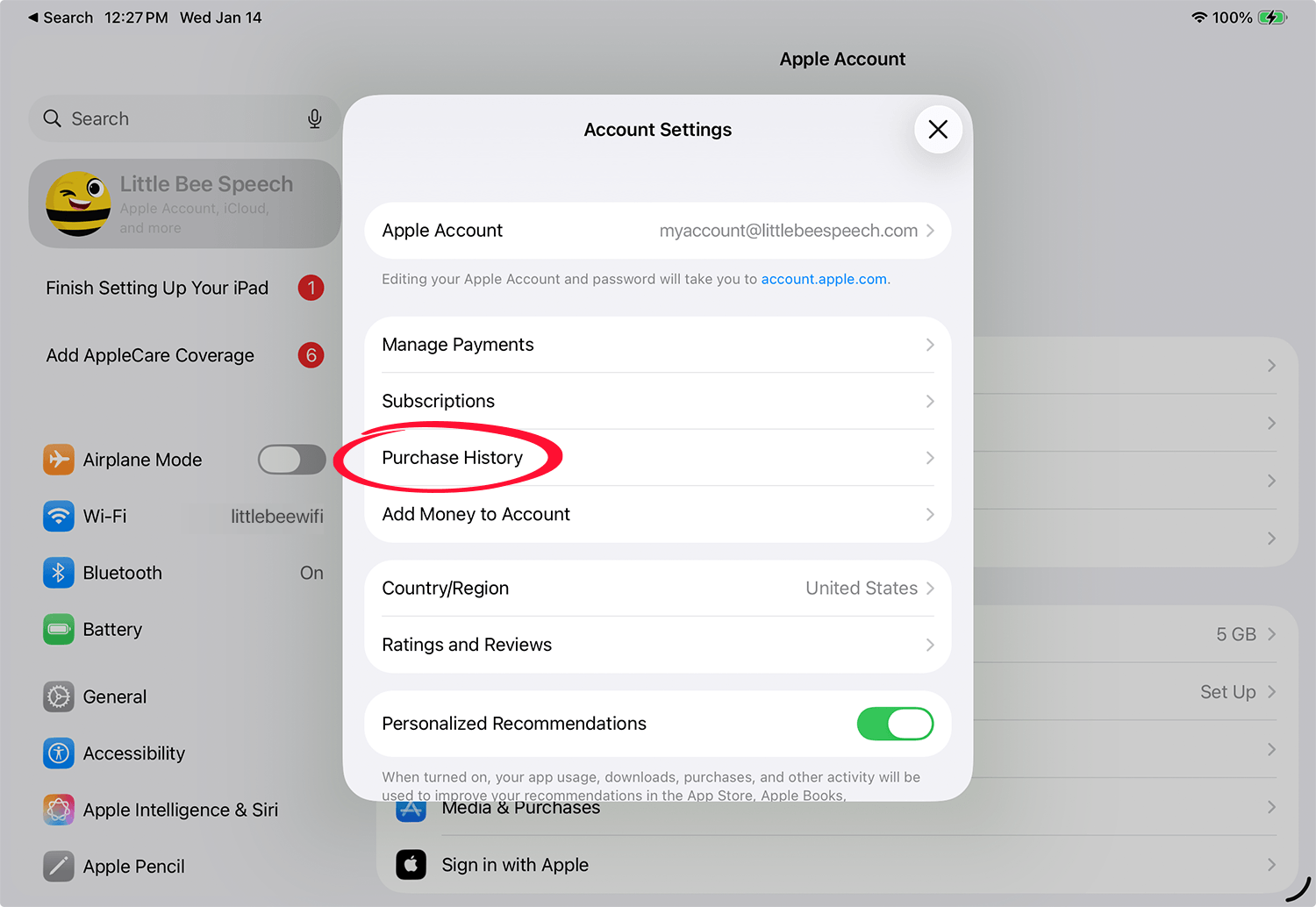
To view your App Store purchase history and resend a receipt do the following:
1. Open the Settings app on your iOS device or Mac.
2. Tap your name (at the top) to view your Apple account
3. Tap Media & Purchases > View Account. You may need to enter your Apple ID password
4. Tap Purchase History
6. Search or scroll for the item you are looking for
6. To get a receipt, tap the item > Resend Receipt
For additional information on viewing your purchase history click below:
View your purchase history for the App Store, iTunes Store, and other Apple media services
Little Bee Store purchase history
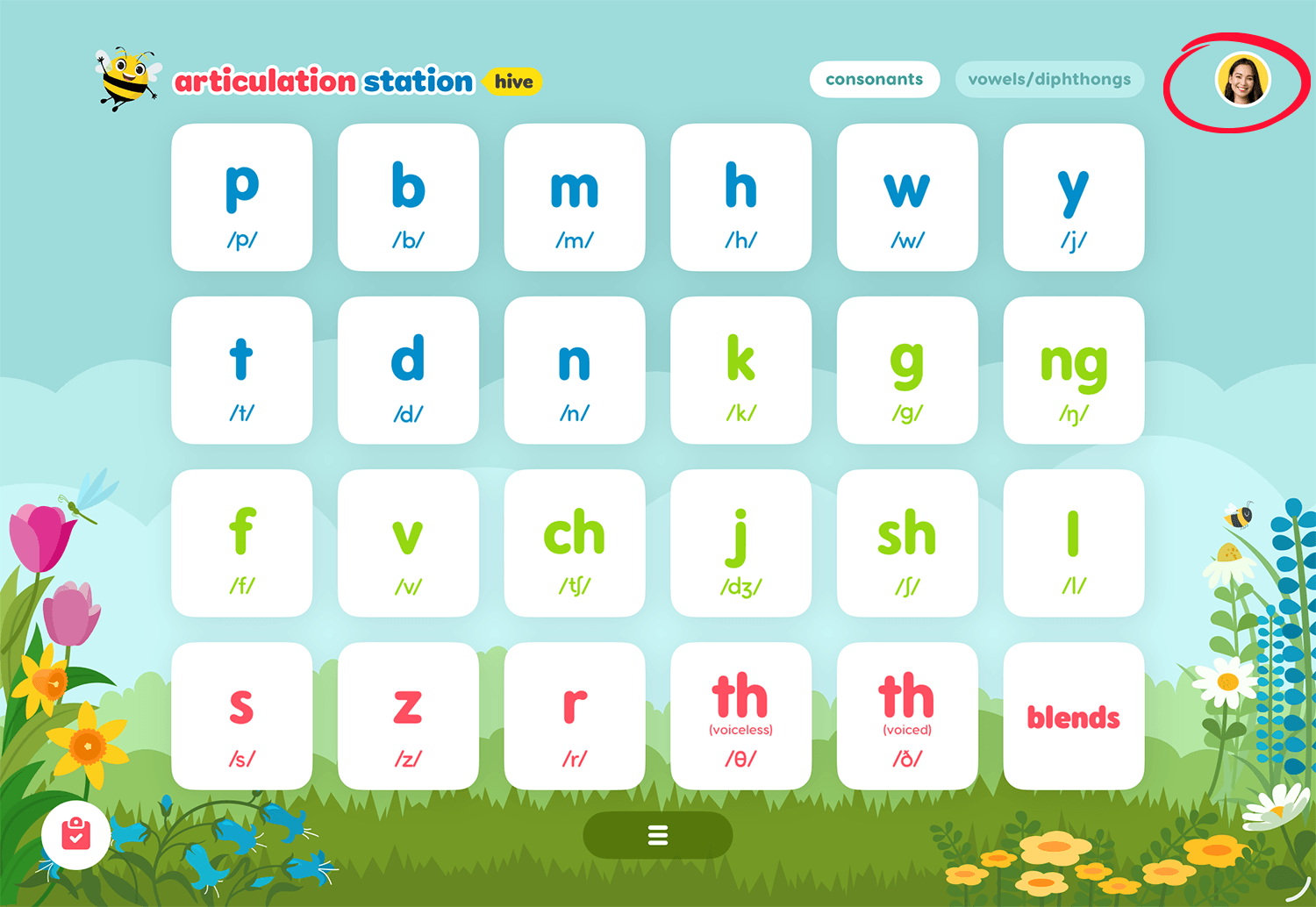
To view your Little Bee Store purchase history tap on your user profile image from the home screen of any Little Bee Hive application.
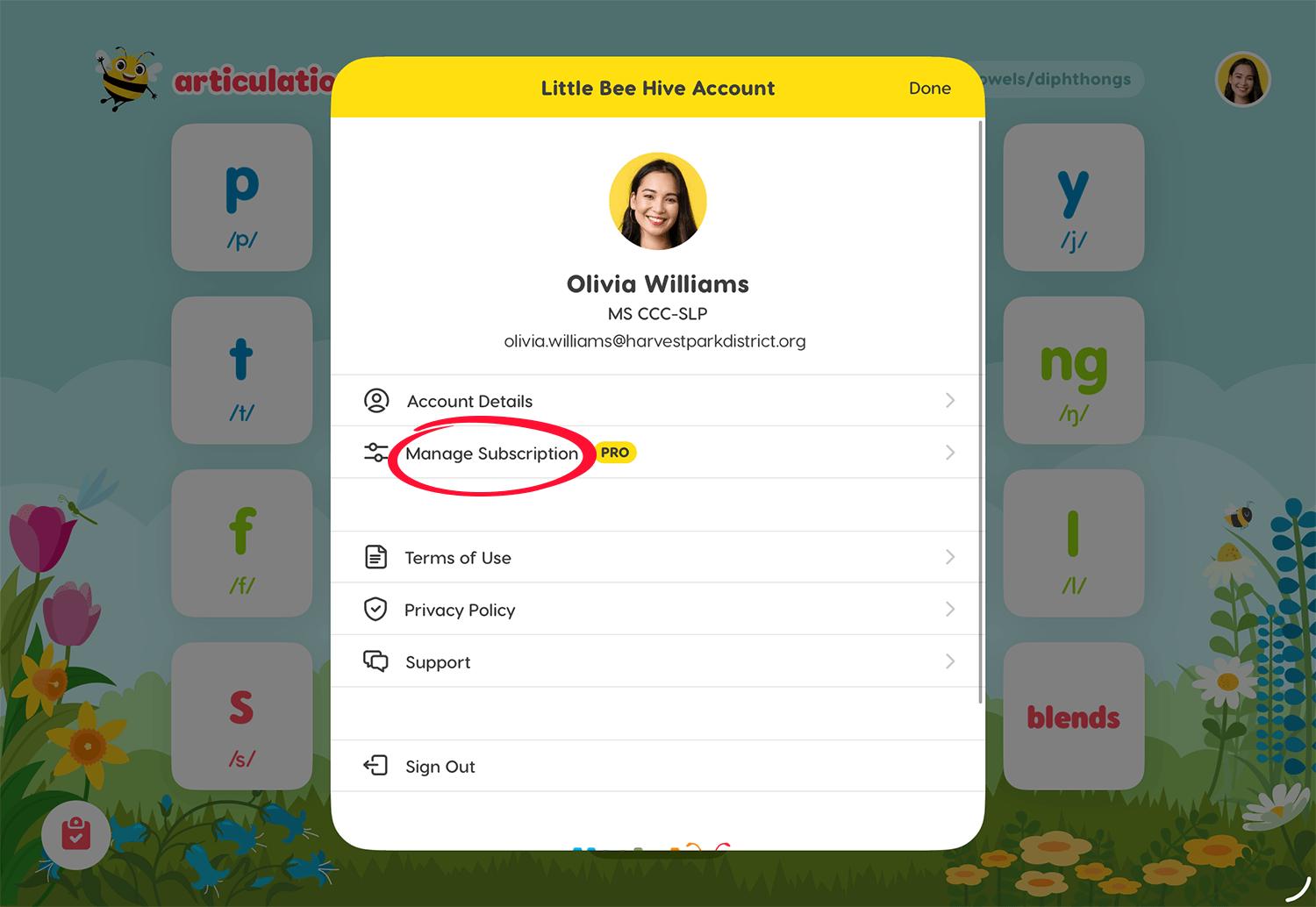
Then tap Manage Subscription to see the subscription details screen.
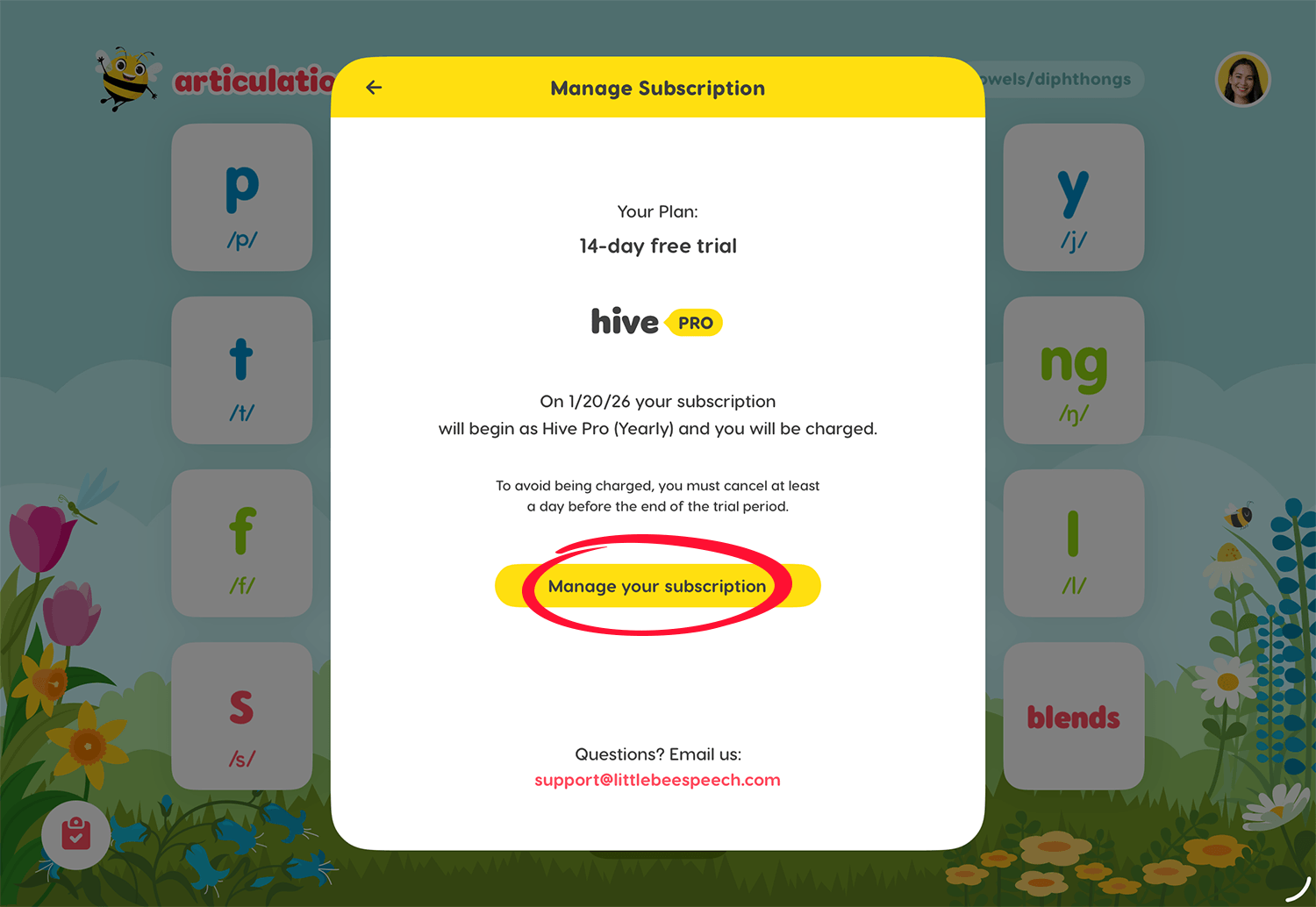
On the subscription details screen tap Manage your subscription
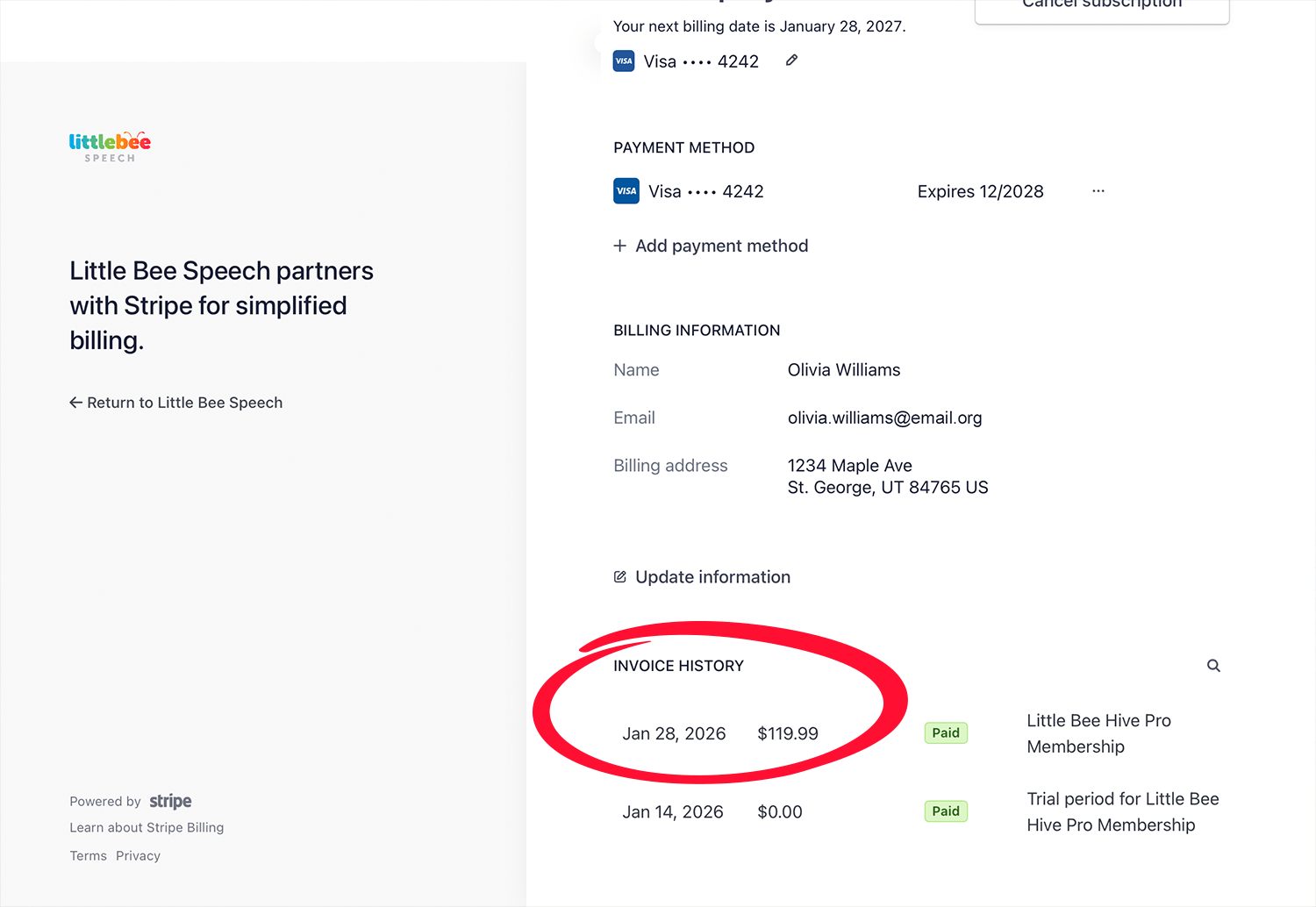
You will be directed to your subscription management screen. Scroll to the bottom to see your purchase history (invoice history). Tap the invoice you'd like to view and you'll have the option to download the invoice and/or purchase receipt.
Search your email for a purchase receipt
When you make a purchase, whether from an Apple In-app purchase or from the Little Bee Store, you will have received an email with a purchase receipt.
Hint: search for Little Bee Receipt or Apple Articulation Receipt in your email. If you cannot find the purchase receipt in your email you can look at your purchase history.
If you made a group purchase and need a receipt, email us at: support@littlebeespeech.com