

Change your Hive subscription (Apple)
If you purchased your Hive subscription through Apple (in-app purchase) follow these steps to change your plan:
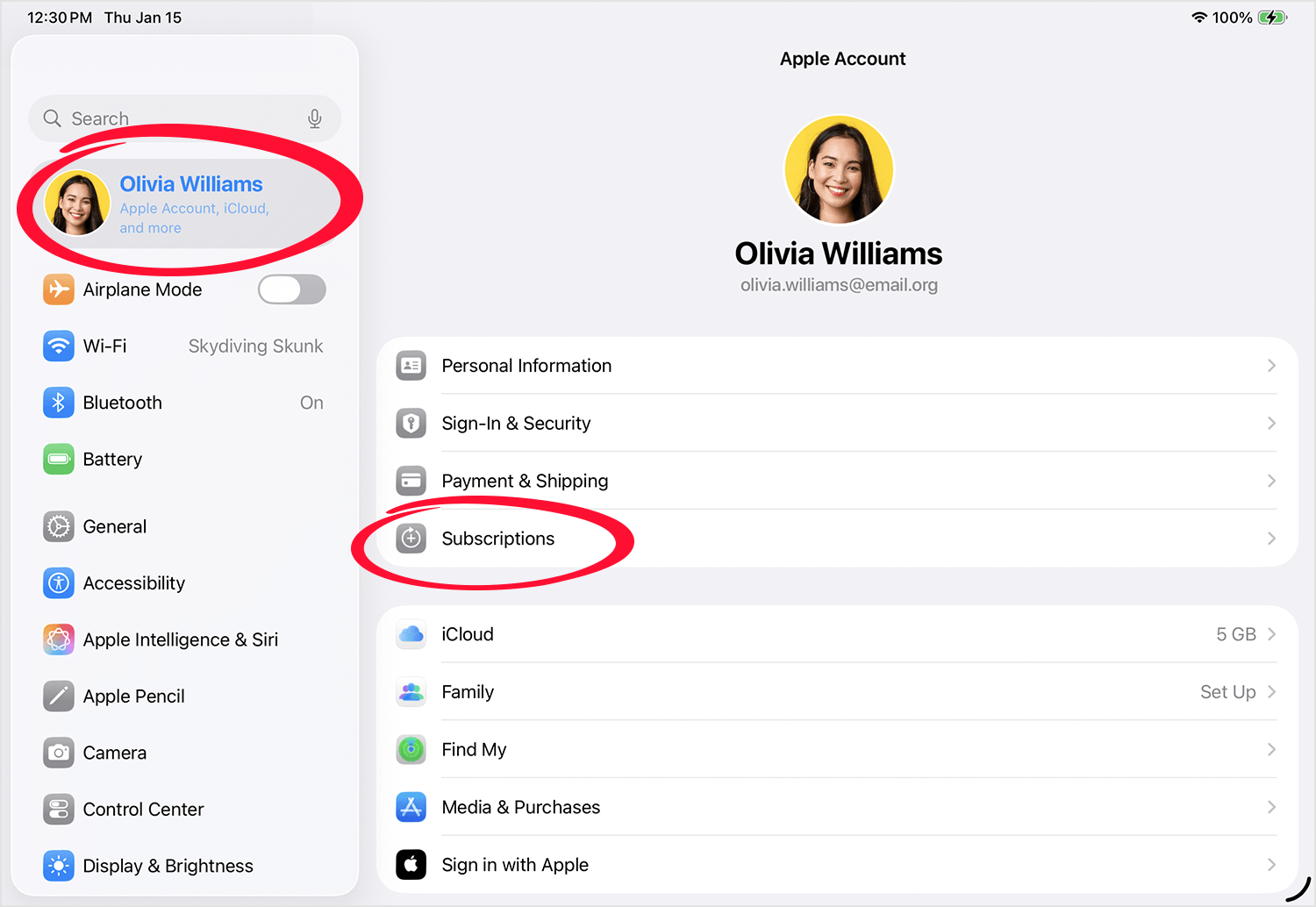
1. Open the Settings app on your iOS device or Mac and tap your name (at the top) to view your Apple account
2. Tap Subscriptions. Enter your Apple ID password if needed.
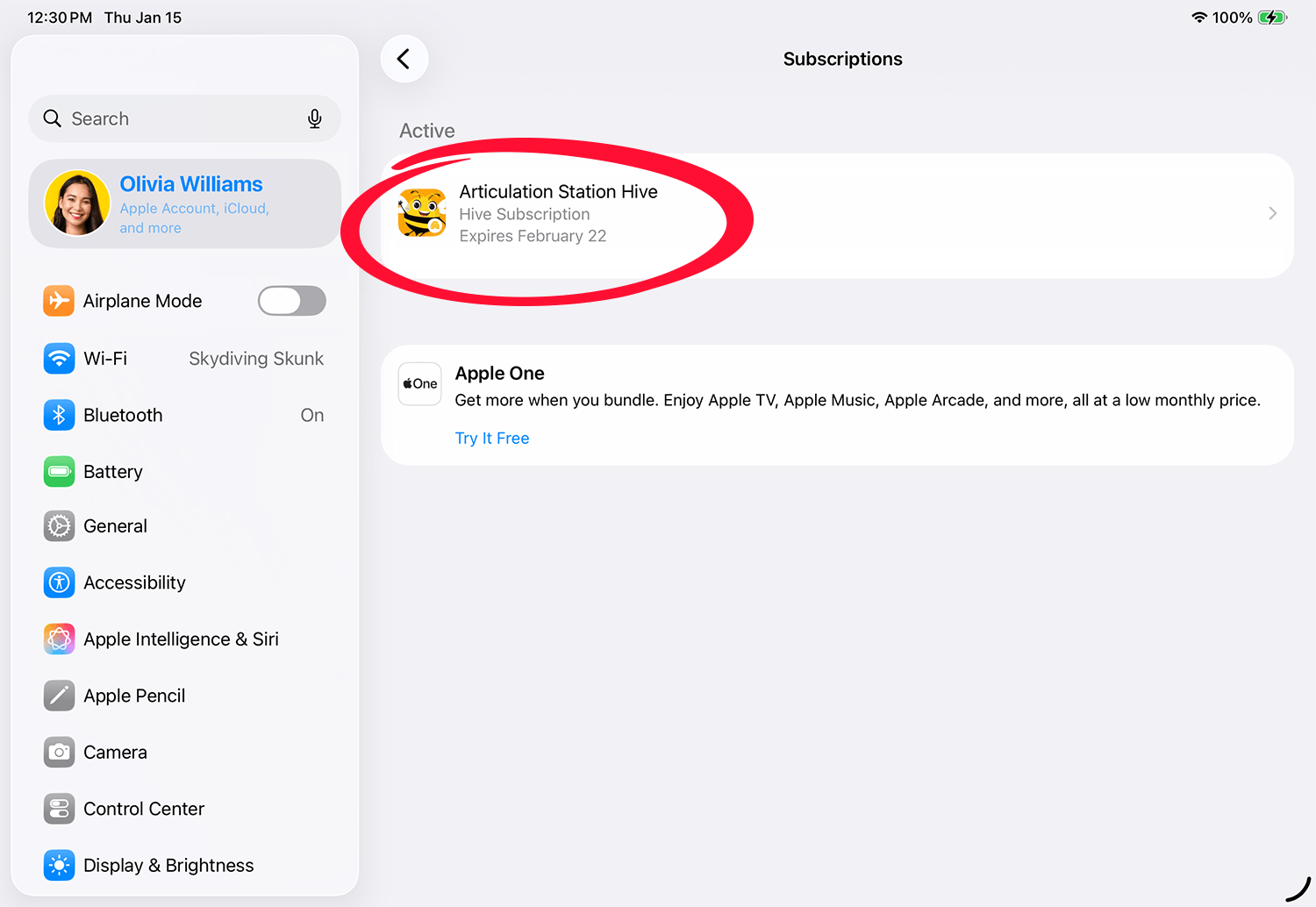
3. Select the Hive application you are subscribed to. It must be an active subscription.
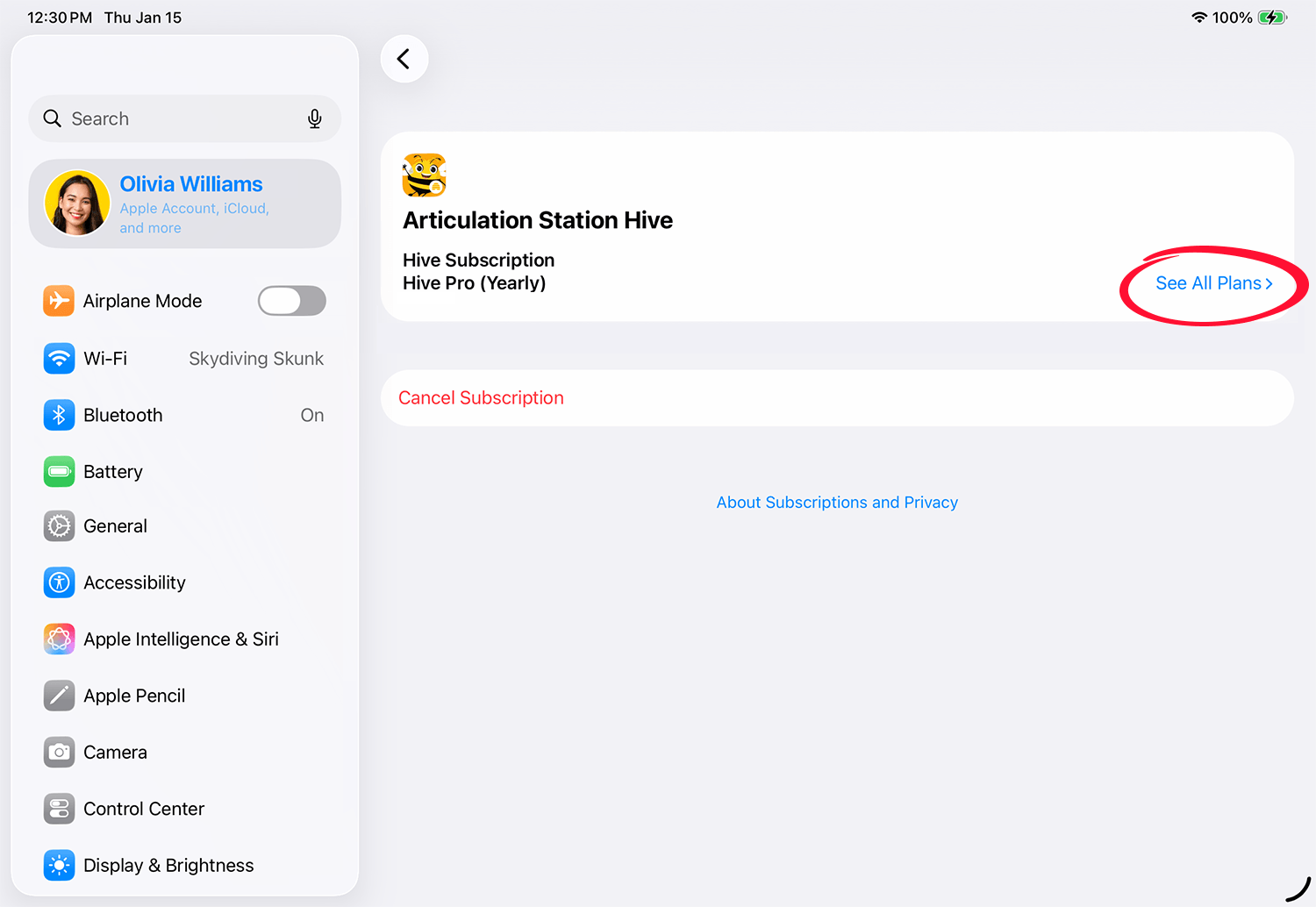
4. Tap See All Plans.
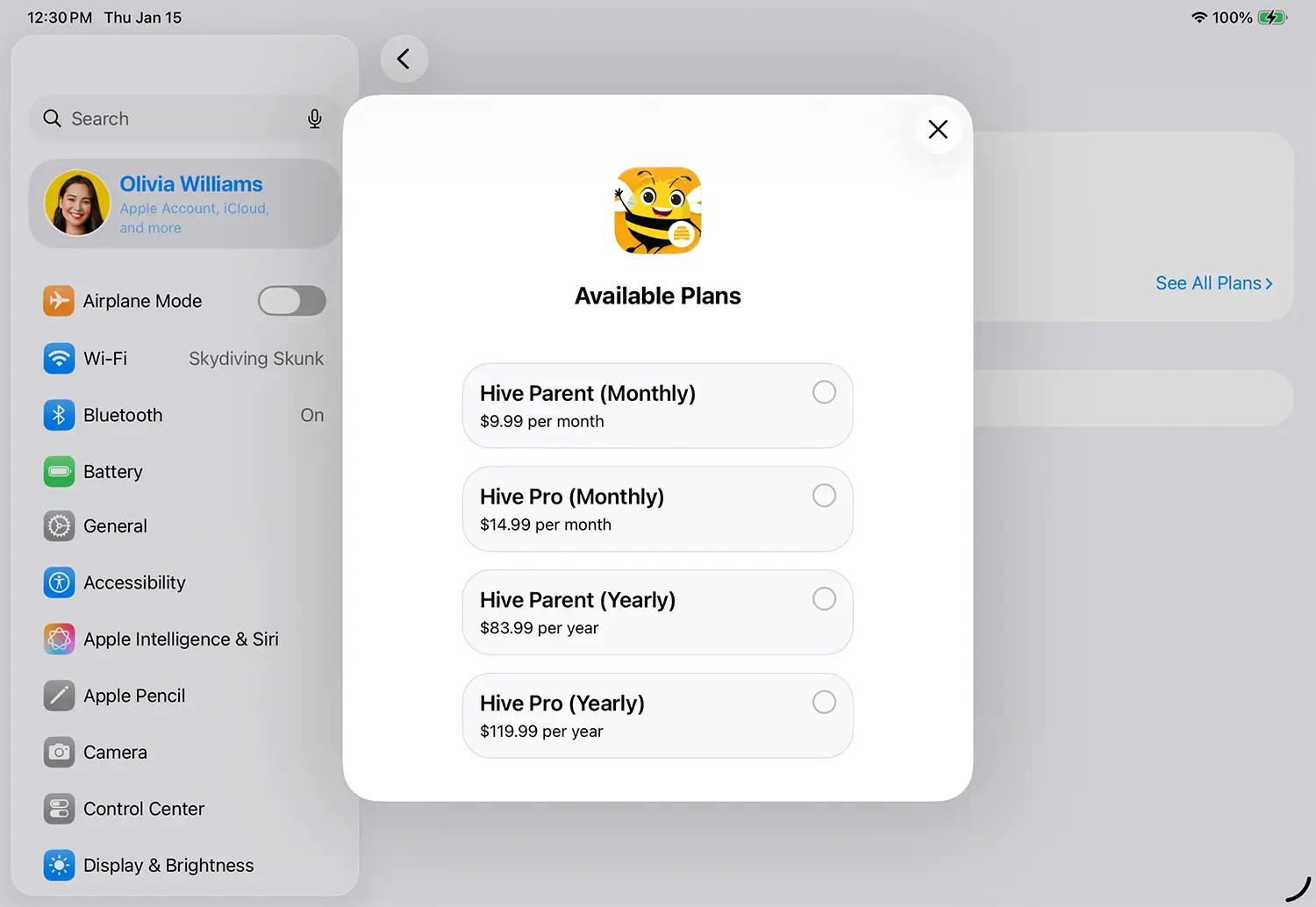
5. Select the plan you would like to switch to.
For more information on changing Apple subscription plans click the link below:
How to switch to a different subscription plan
Change your Hive subscription plan (Little Bee Store)
If you purchased your Hive subscription through the Little Bee Store follow these steps to change your plan:
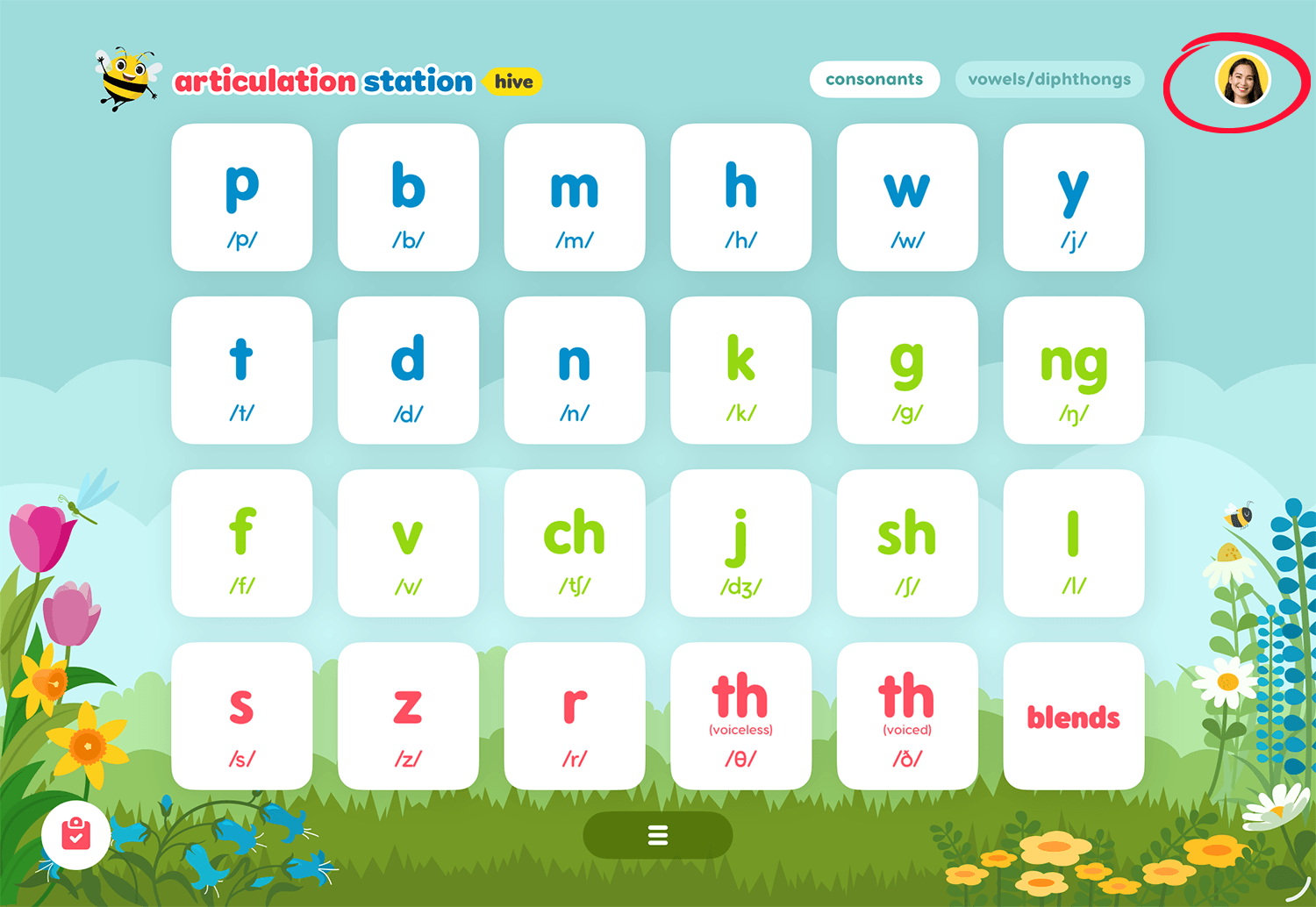
Tap on your user profile image from the home screen of any Little Bee Hive application.
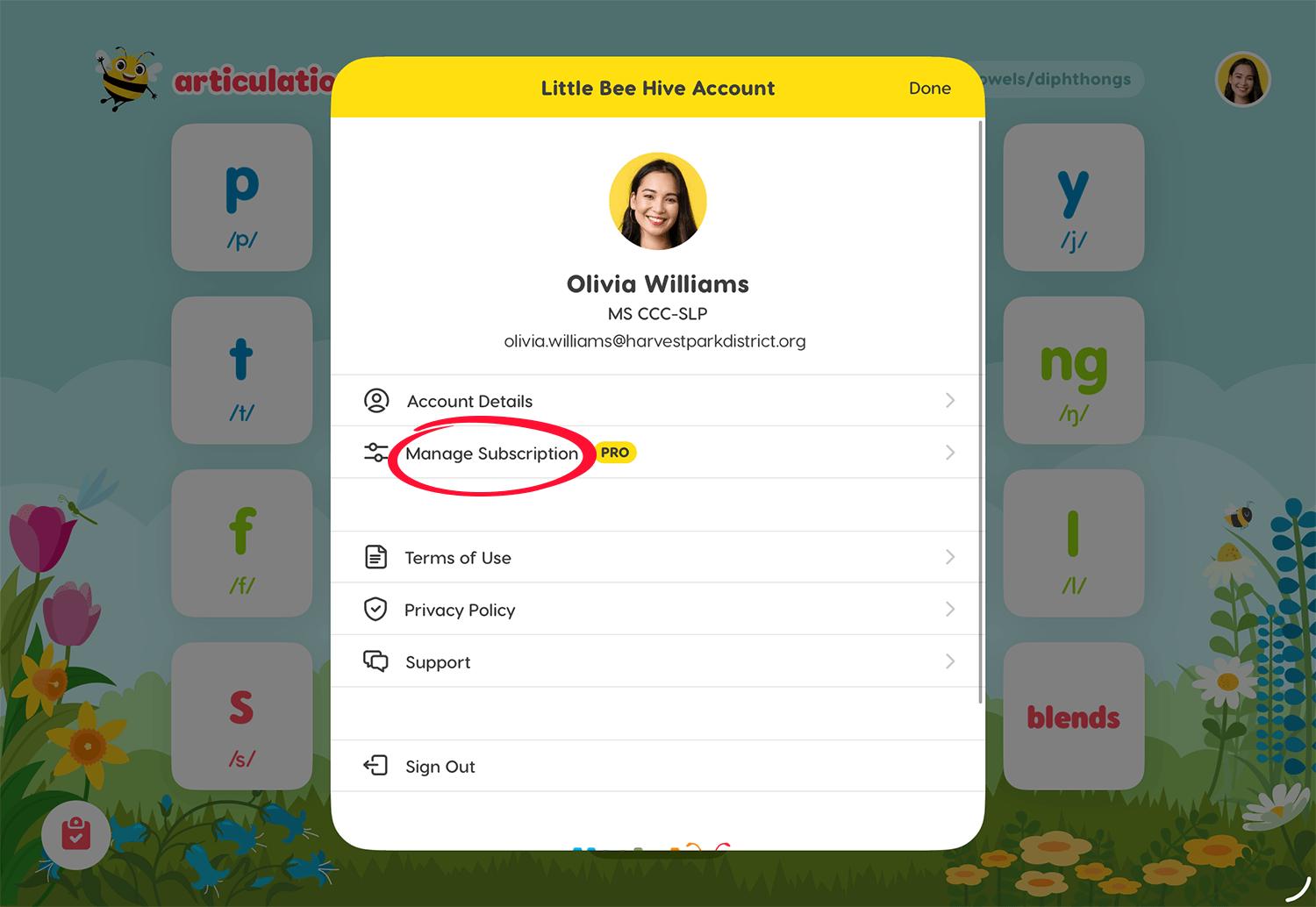
2. Then tap Manage Subscription to see the subscription details screen.
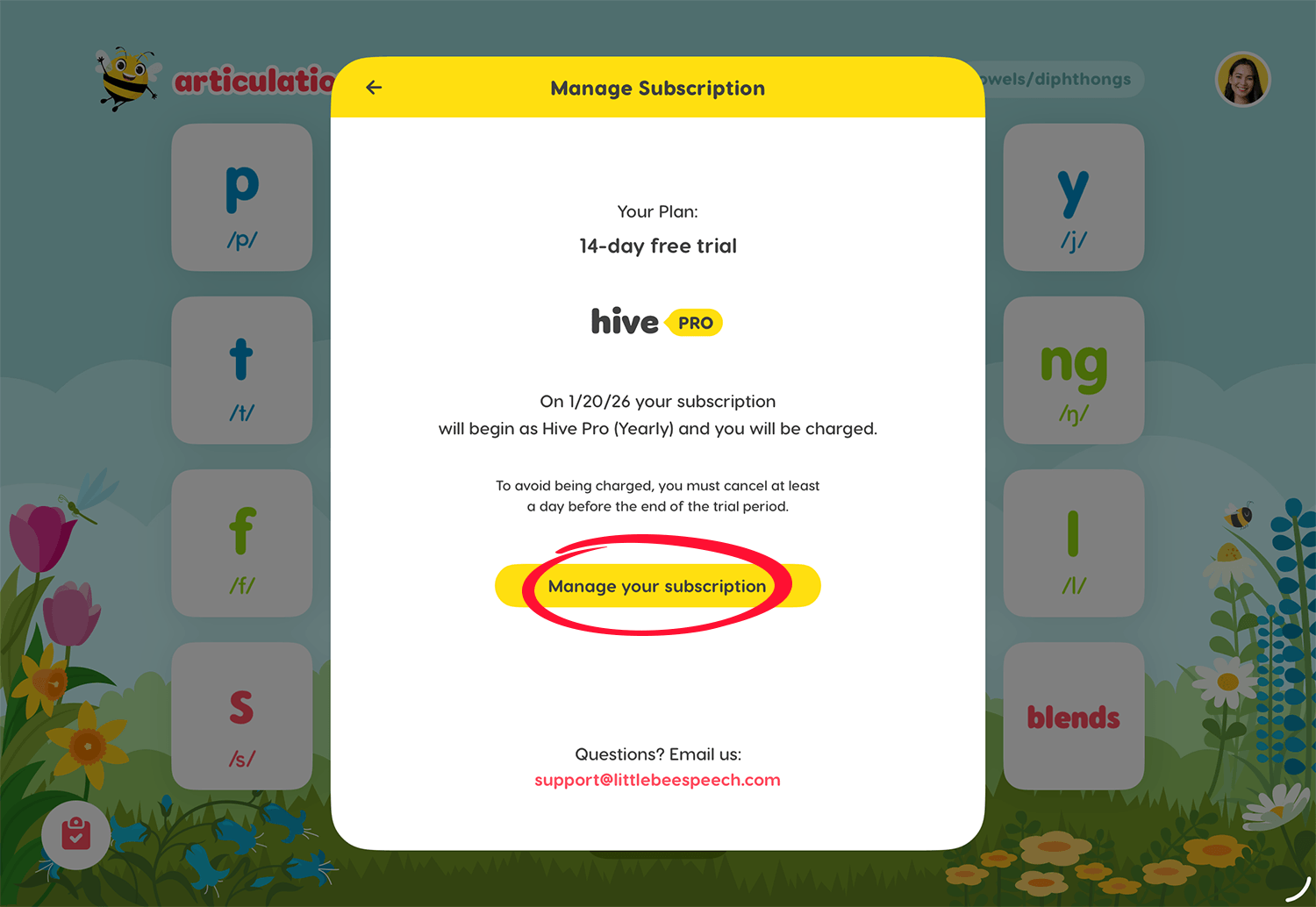
3. On the subscription details screen tap Manage your subscription.
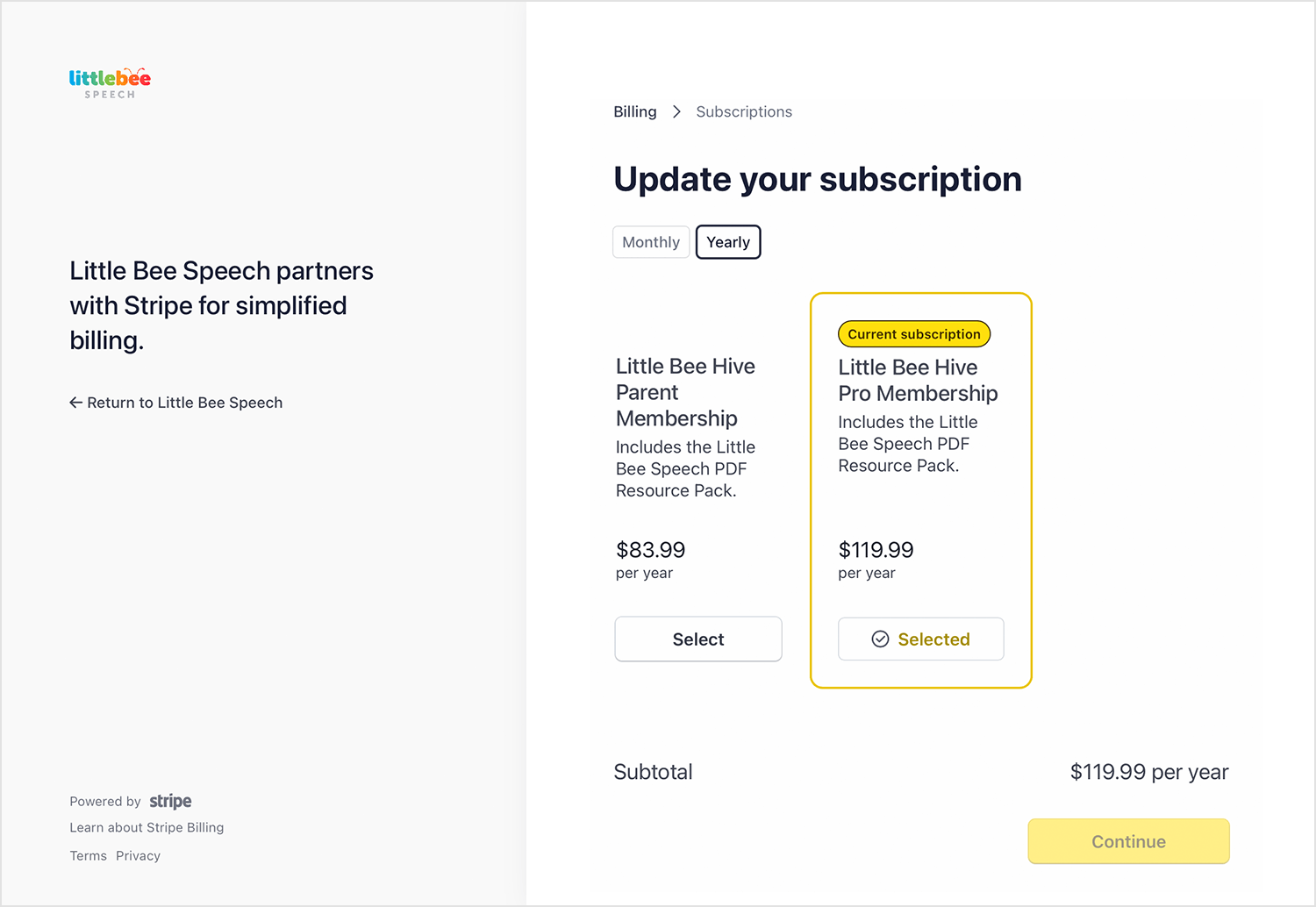
4. Tap Update subscription to see additional Hive subscription plans.
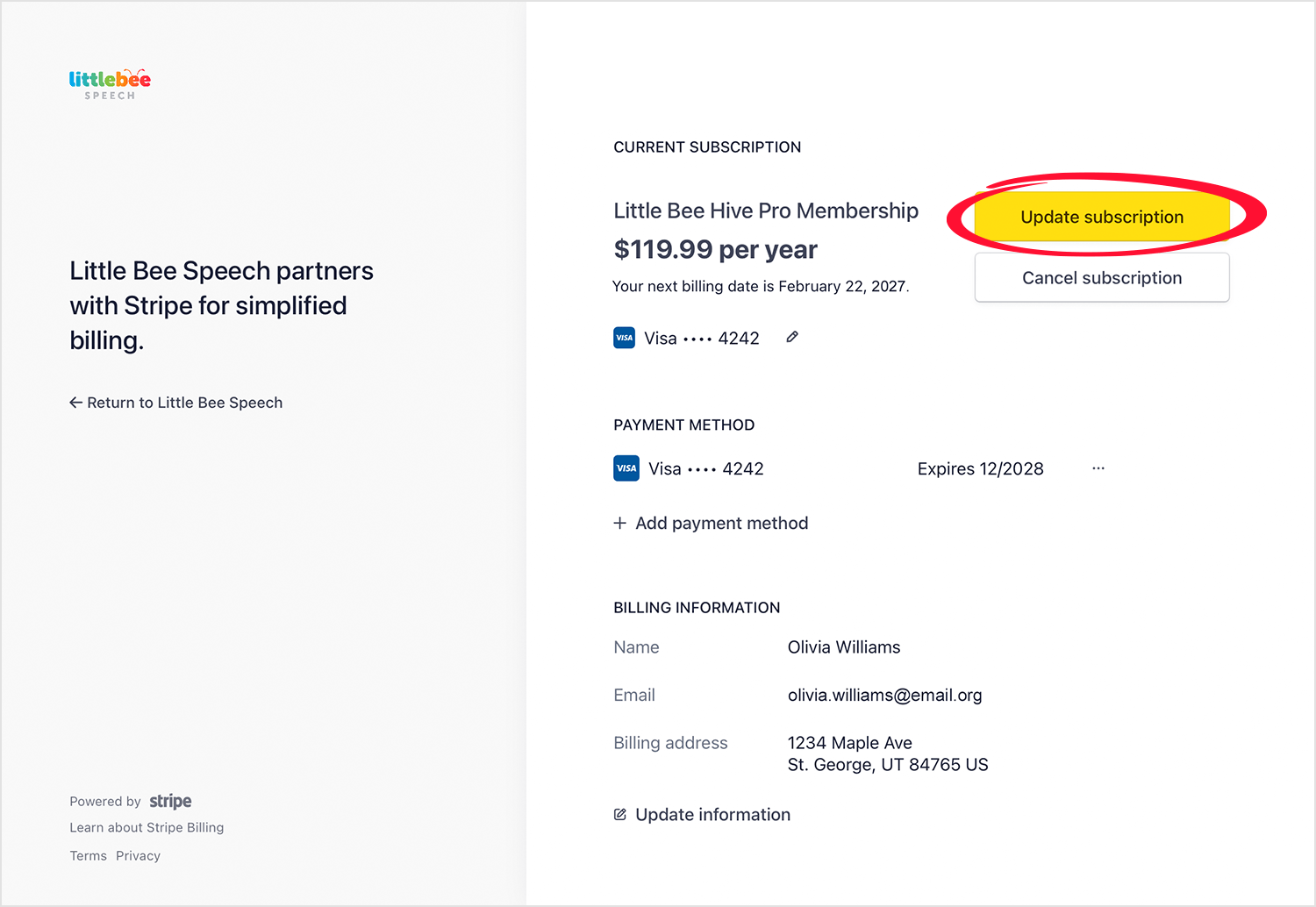
Select your new plan
If you have additional questions about updating your Hive subscription plan contact us: