

In order to record audio the app needs to enable microphone permission. If your app appears to record but does not play back the audio chances are the microphone permission for your app is turned off.
To enable microphone permission for an app do the following:
Step 1.
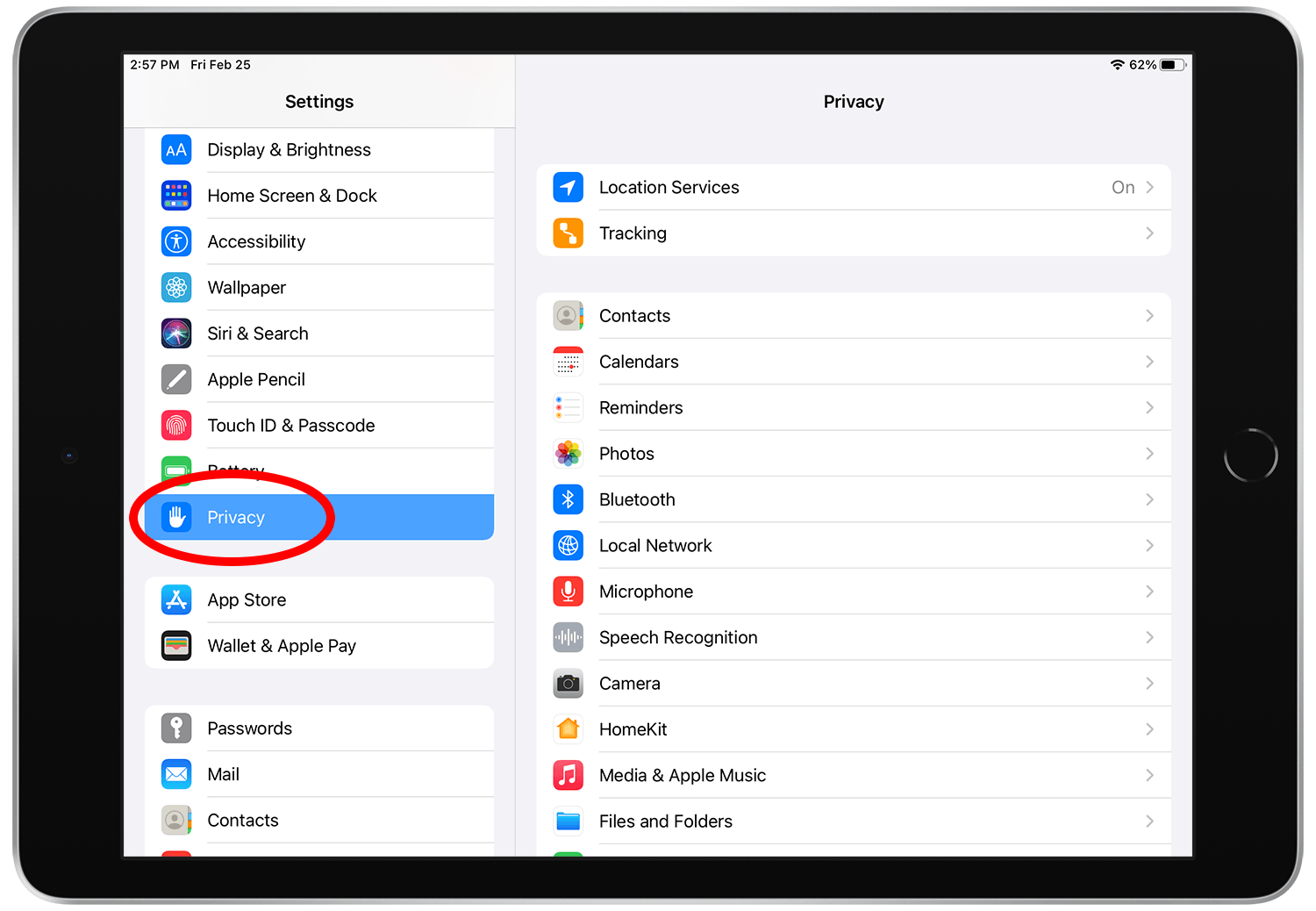
Open the Settings app and tap "Privacy"
Step 3.
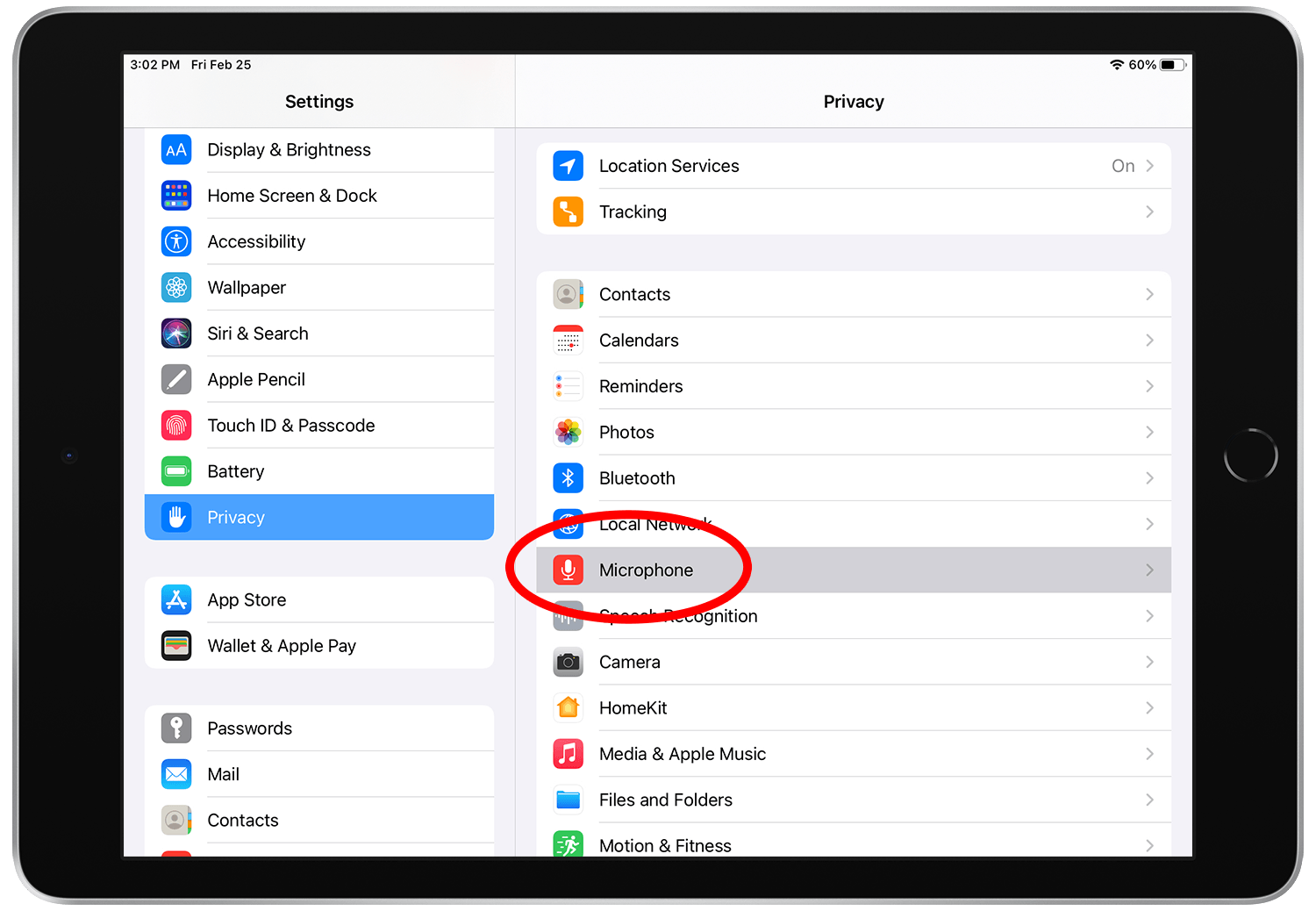
Tap "Microphone"
Step 4.
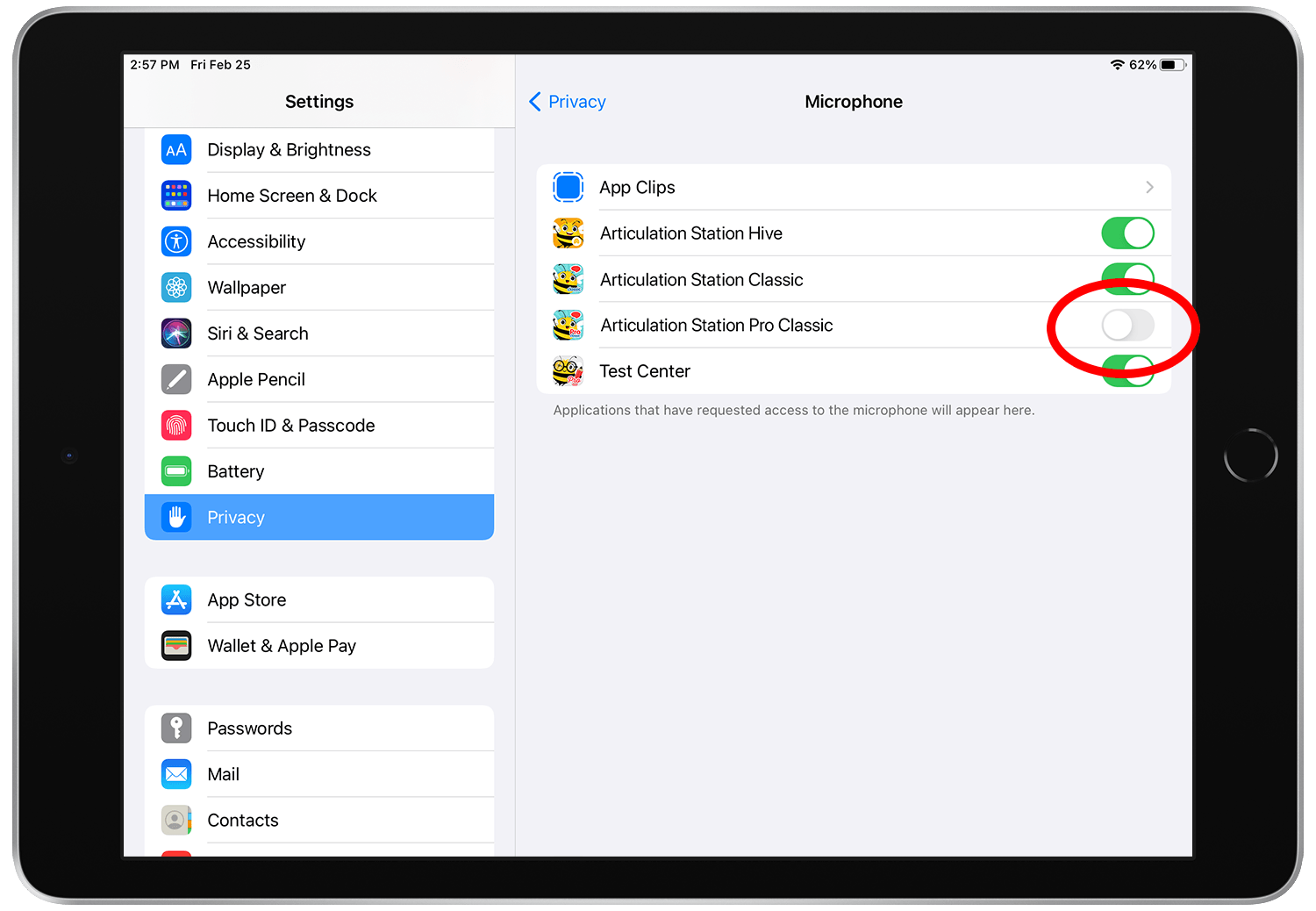
Turn on the app that needs access to the microphone.
Step 5.
Open your app, record, playback, and enjoy!