

App Store promo codes are unique alphanumeric codes that can only be used to download a specific app one time only. They expire 28 days from the day they are generated so redeem your code as soon as possible to be sure that you can get the app downloaded successfully.
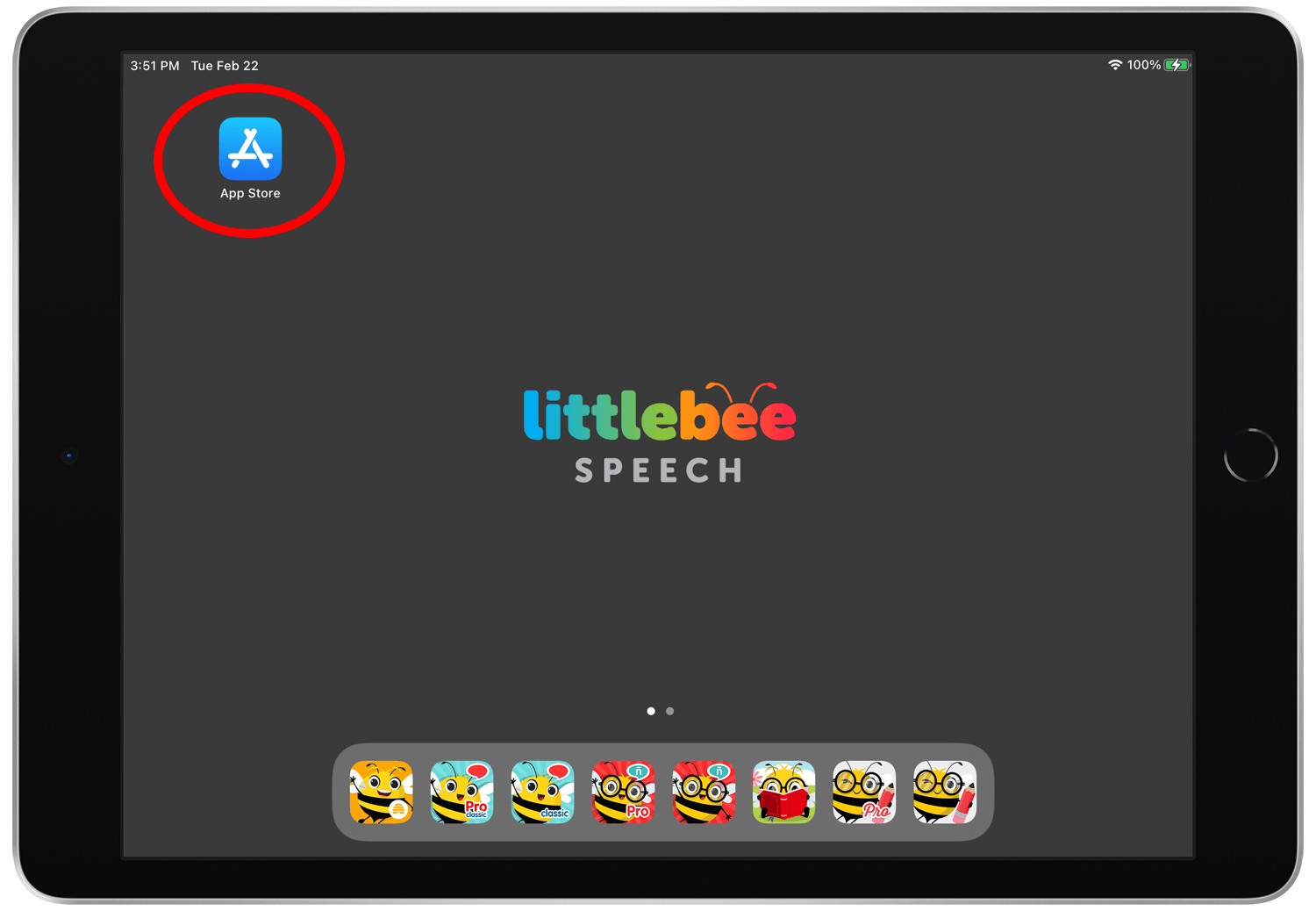
Step 1.
Open the App Store.
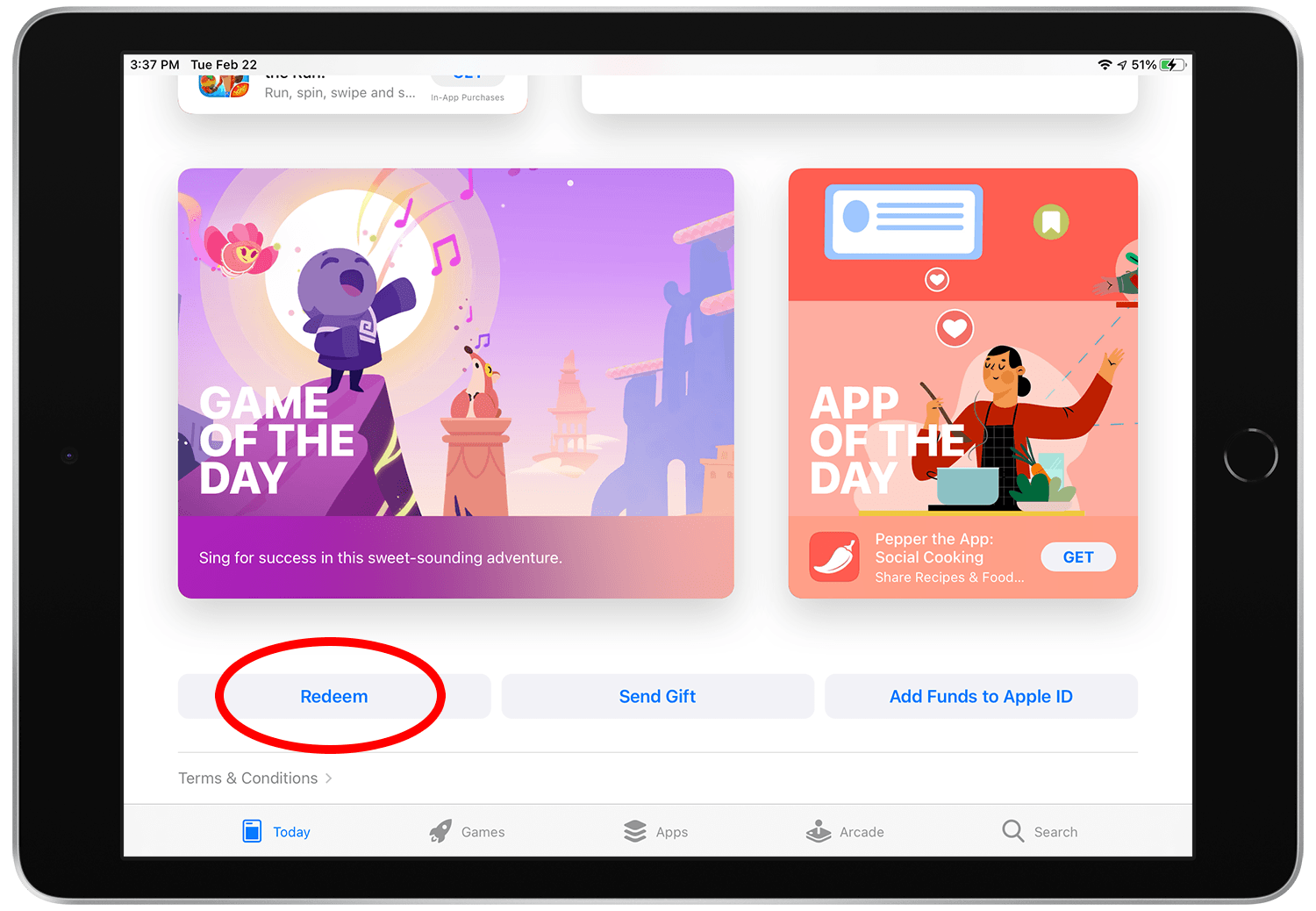
Step 2.
Scroll to the bottom of the App Store and tap the “Redeem” button.
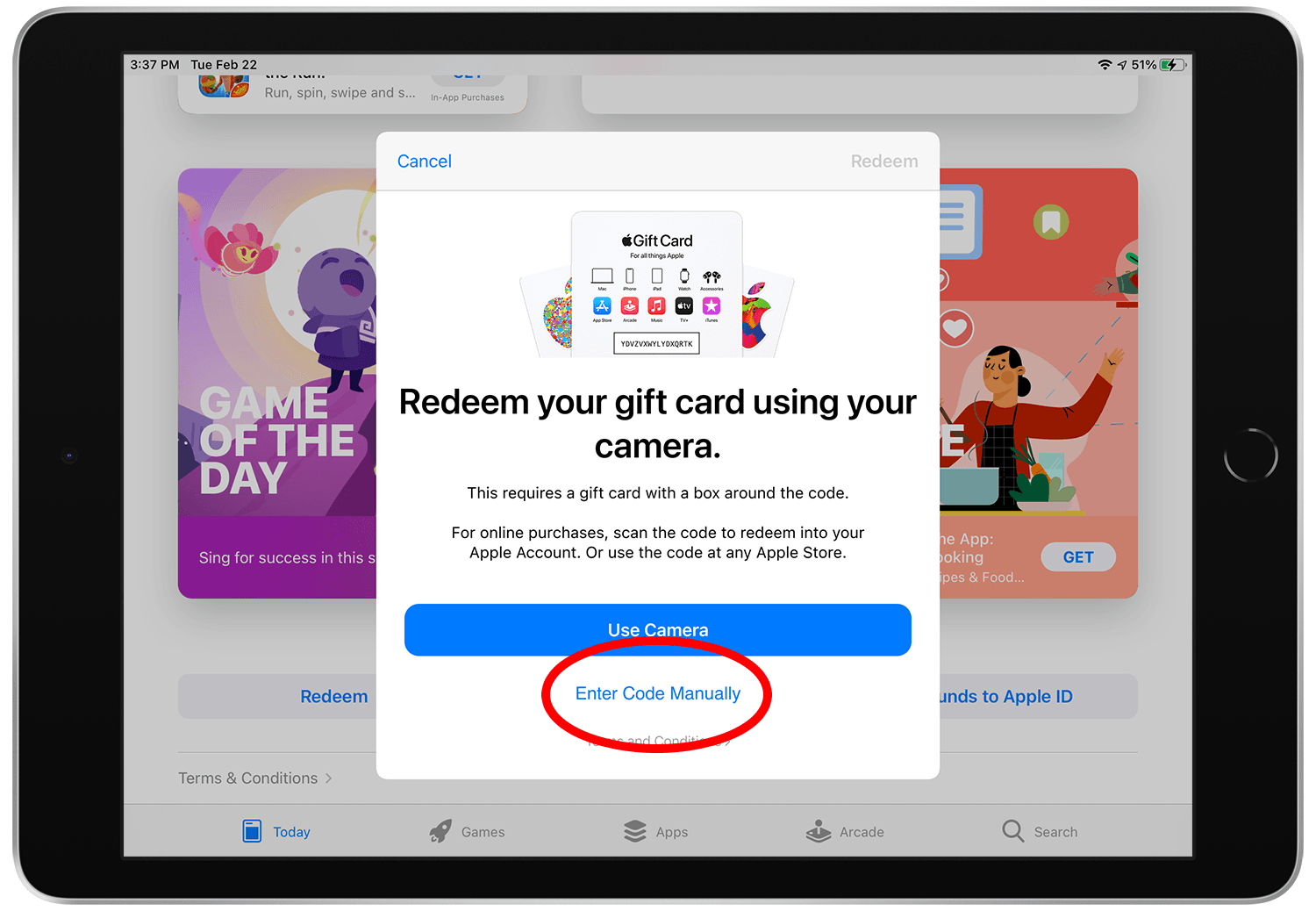
Step 3.
Tap the text that reads “Enter code manually.”
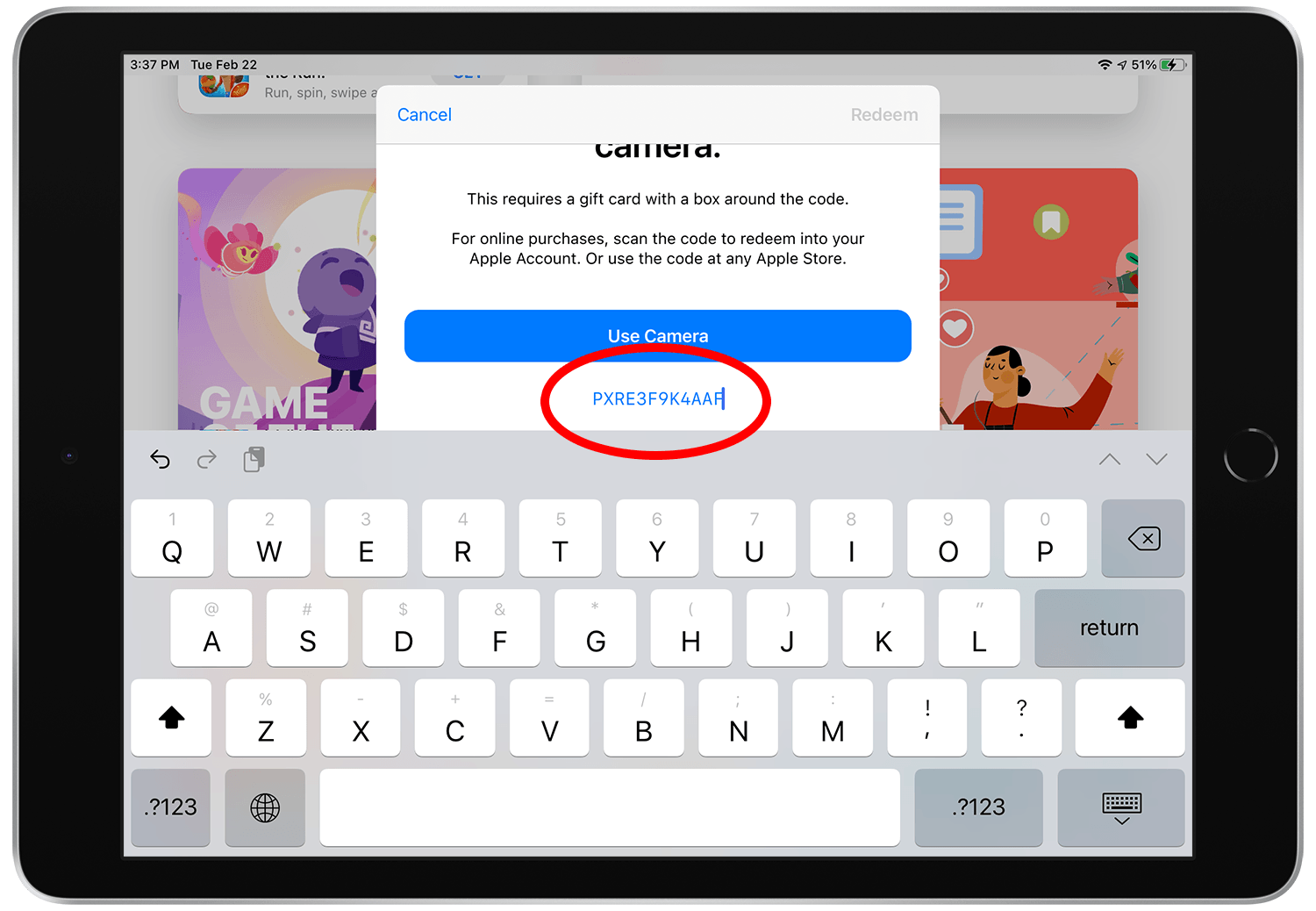
Step 4.
Enter the code then tap the “Redeem” button.
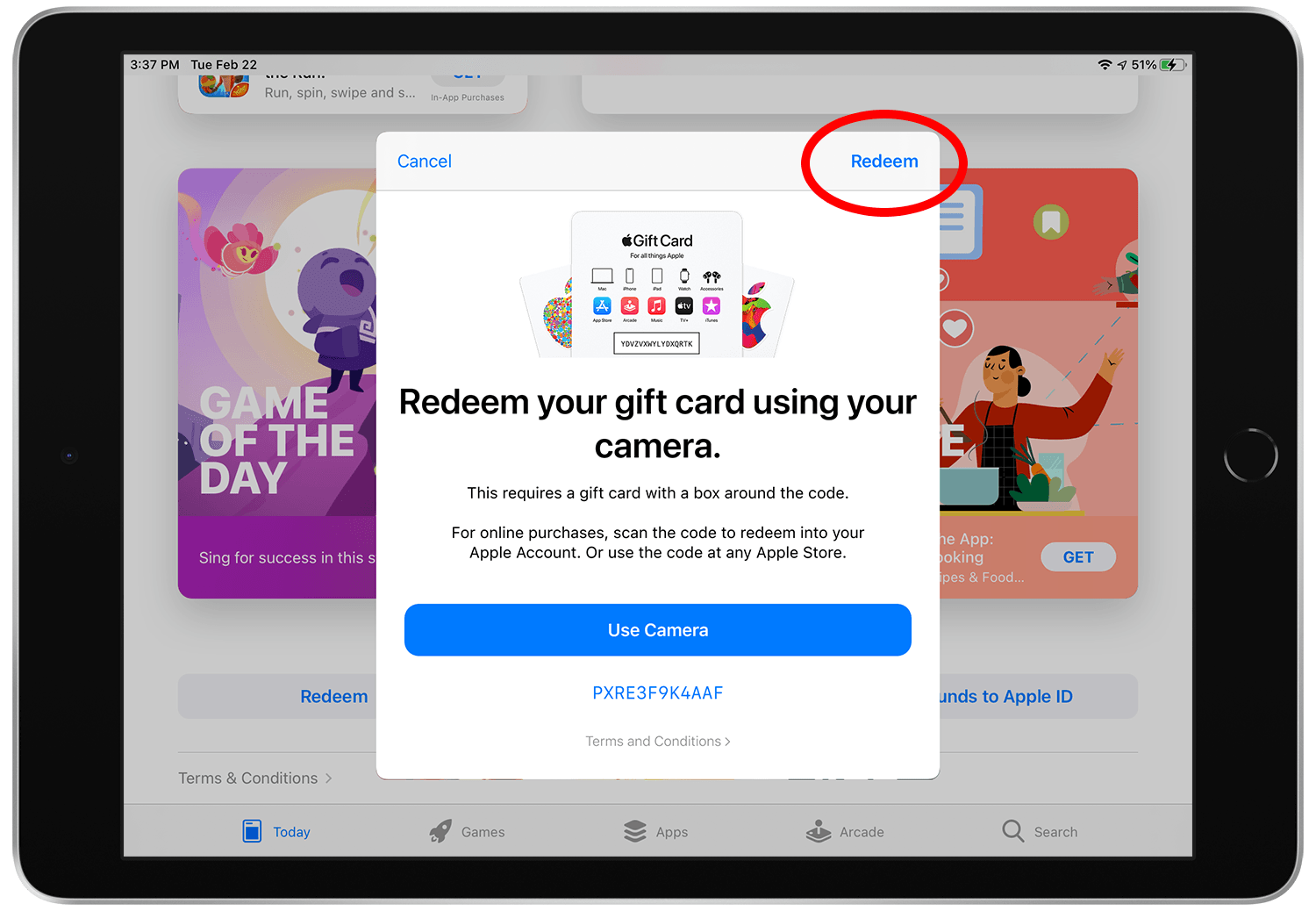
Step 5.
Sign in to the App Store with your Apple ID (if the prompt appears). This will be the Apple account that the app will be associated with once it is downloaded.
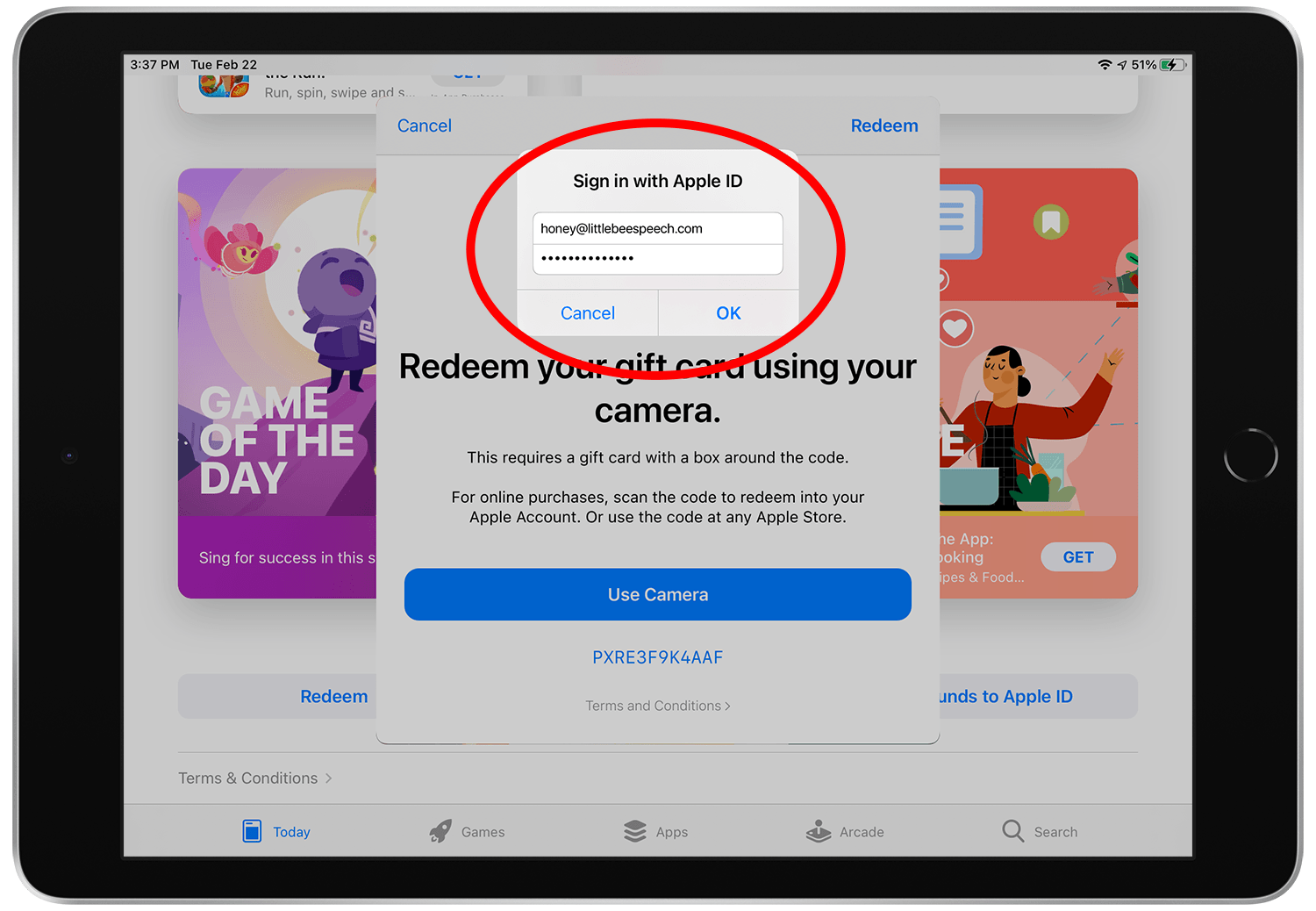
Step 6.
When you get the message stating that you’ve redeemed your code successfully, tap "Done".
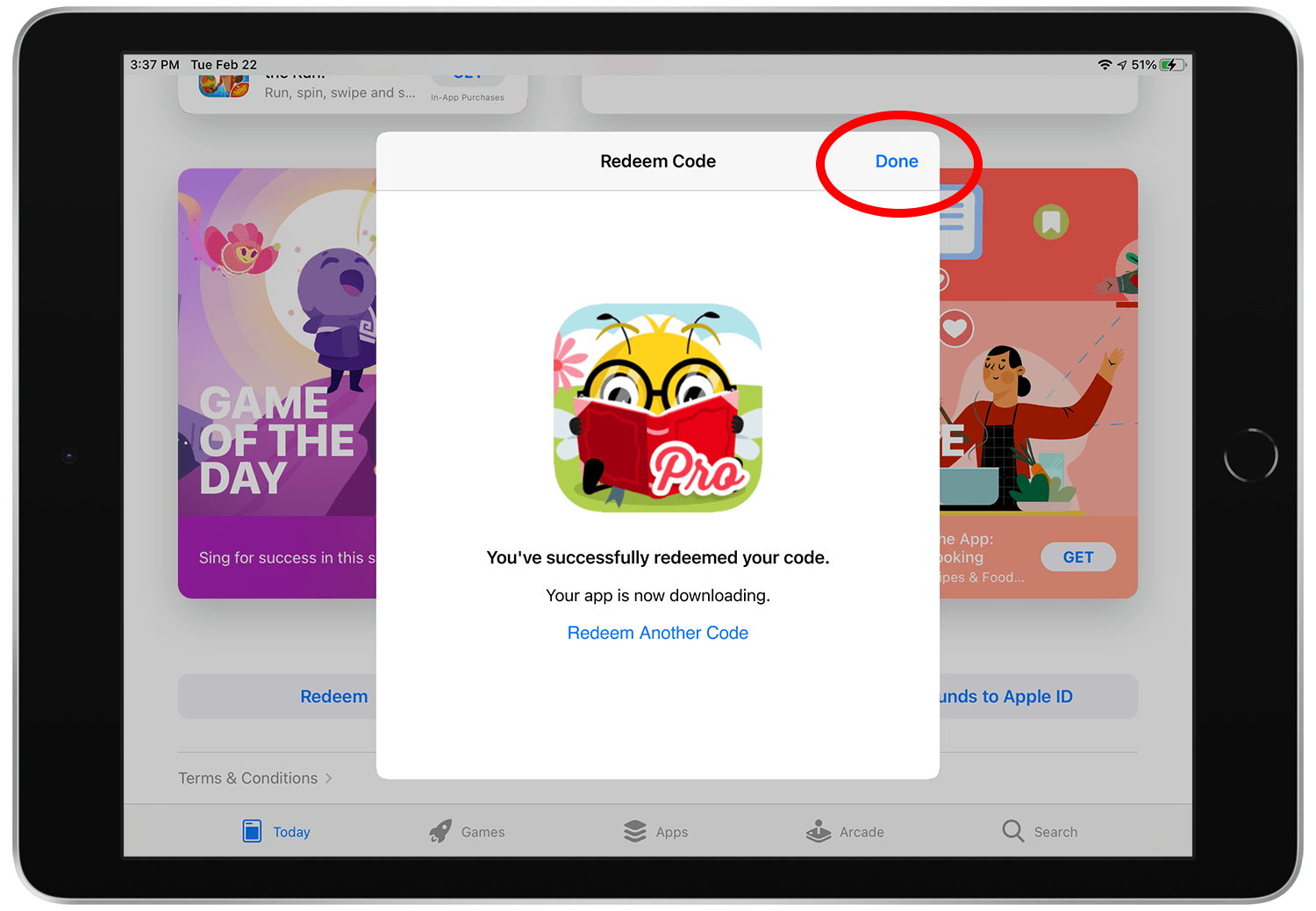
Step 7.
Go to your home screen and watch your app finish downloading.
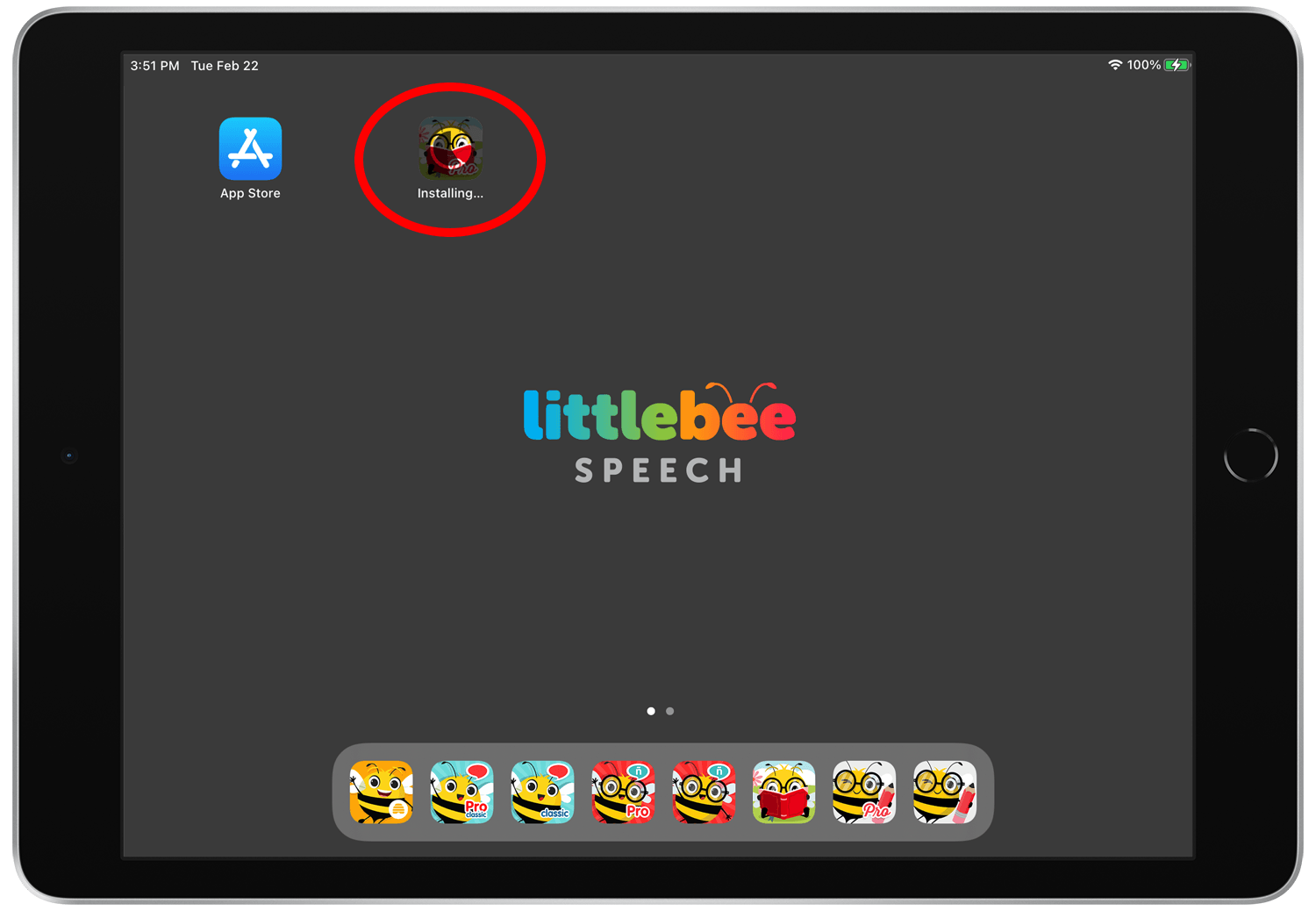
Step 8.
Open your app and enjoy!