
Subscription offer codes are uniquely named custom codes that provide auto-renewable subscriptions at a discounted price for a specific duration. These custom offer codes are only available on iOS 14 and later and can only be redeemed from within Articulation Station Hive or Articulation Test Center Hive. A wifi internet connection is needed to redeem offer codes.
If you are on a free trial (or not) and you are currently signed into your Hive account you can redeem a subscription offer code by following the steps listed below.
Step 1.
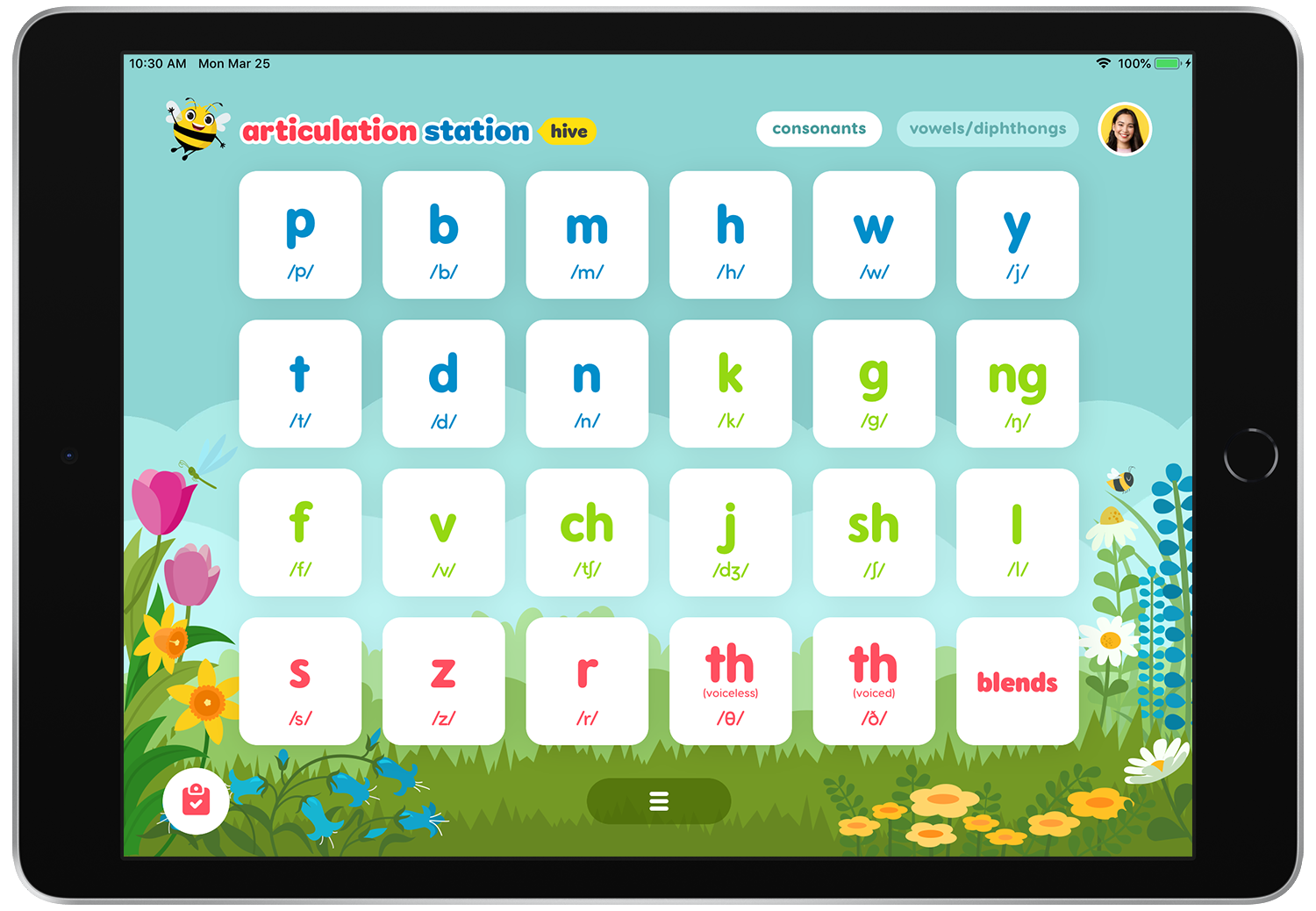
Open Articulation Station Hive and tap on your account icon.

Step 2.
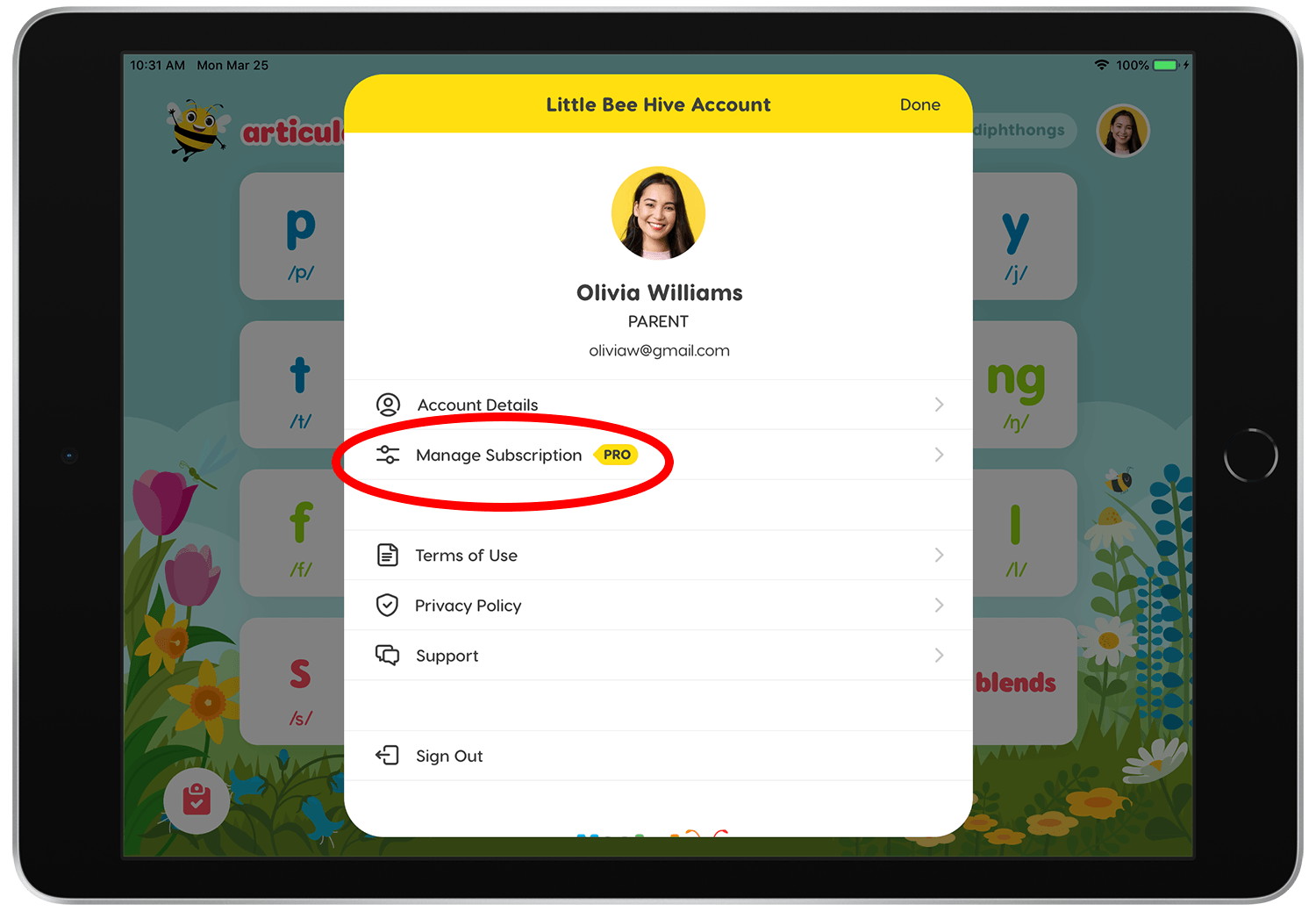
Tap "Manage Subscription".
Step 3.
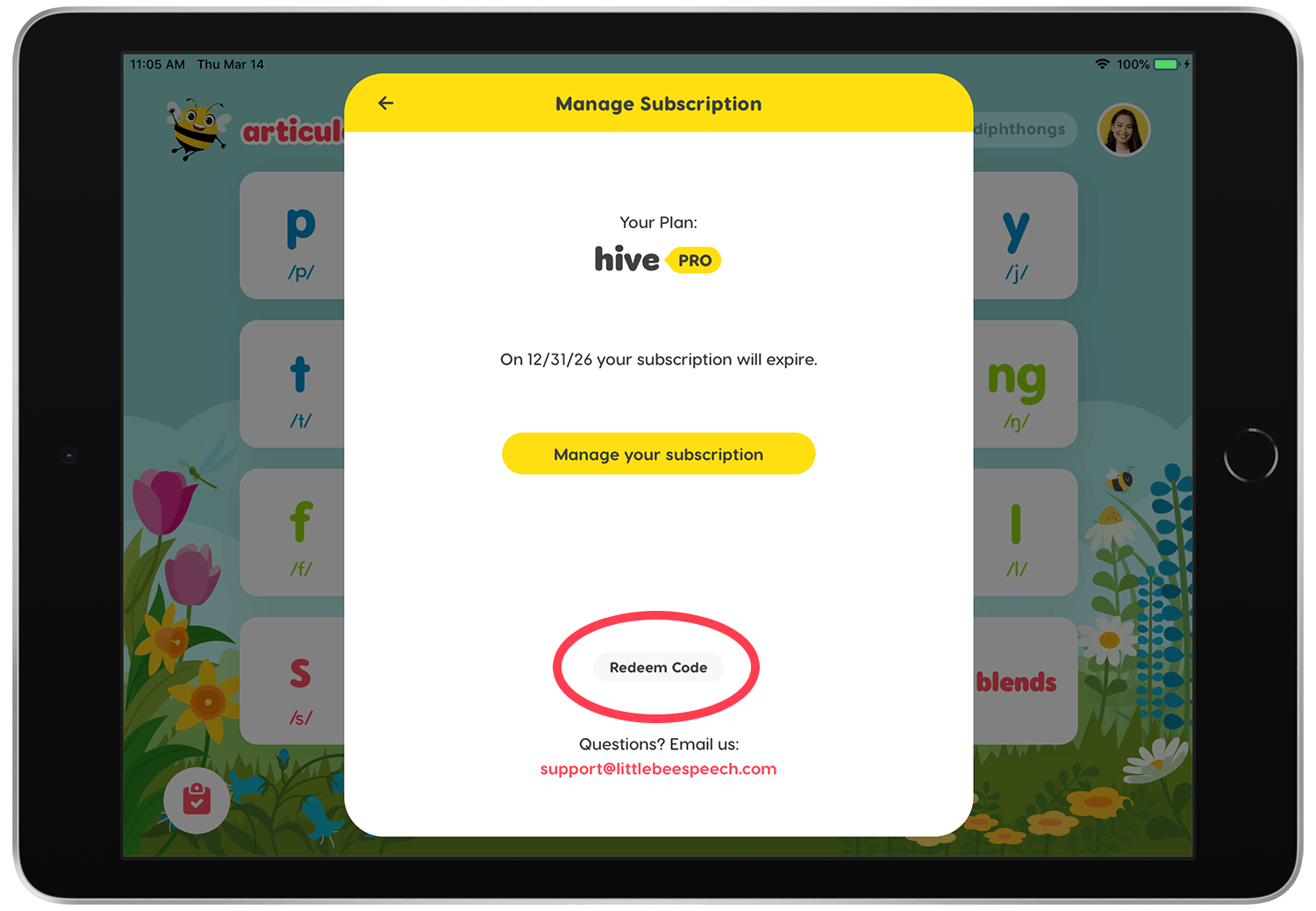
Tap "Redeem Code".
Step 4.
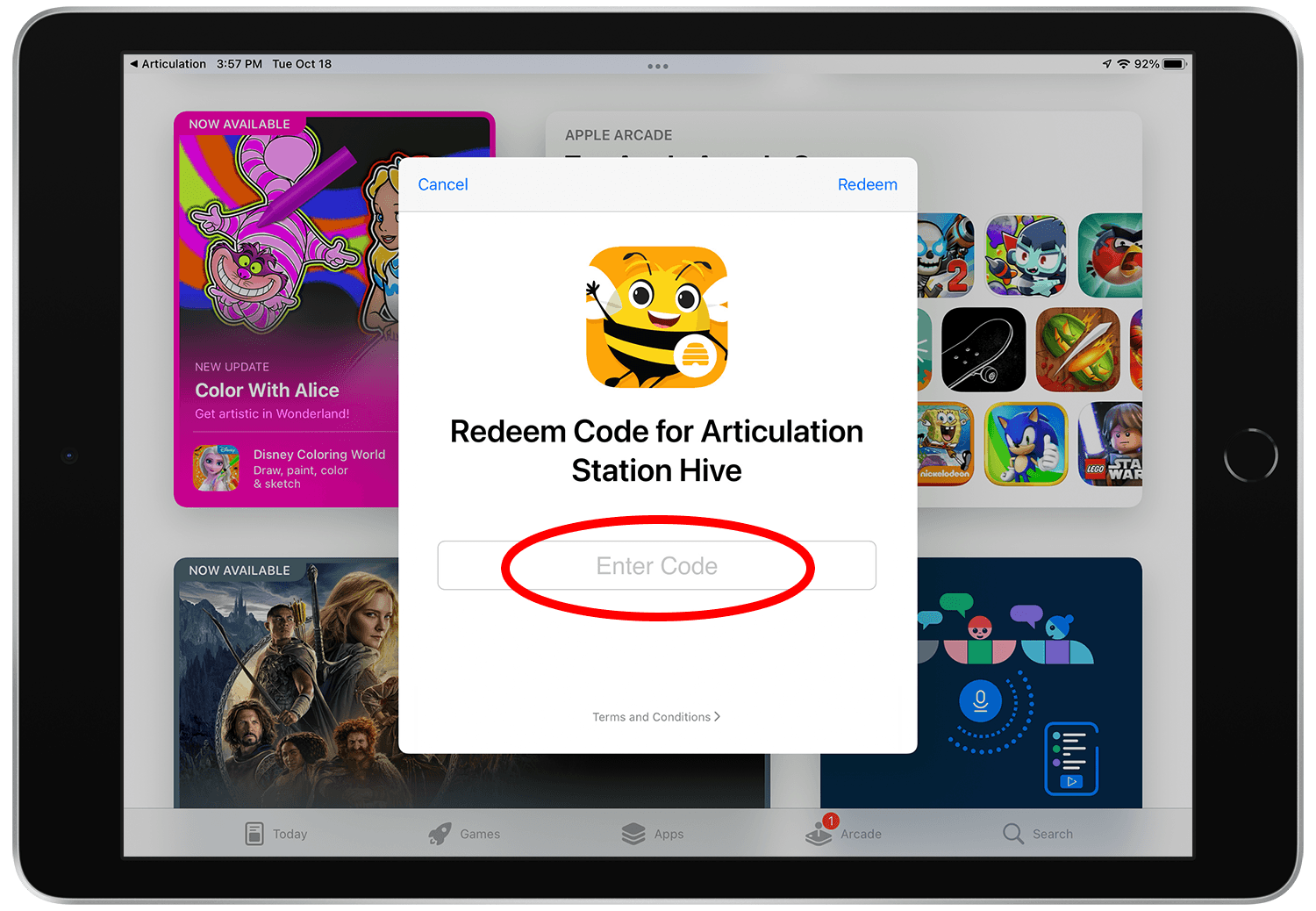
Enter your code then tap "Redeem".
Step 5.
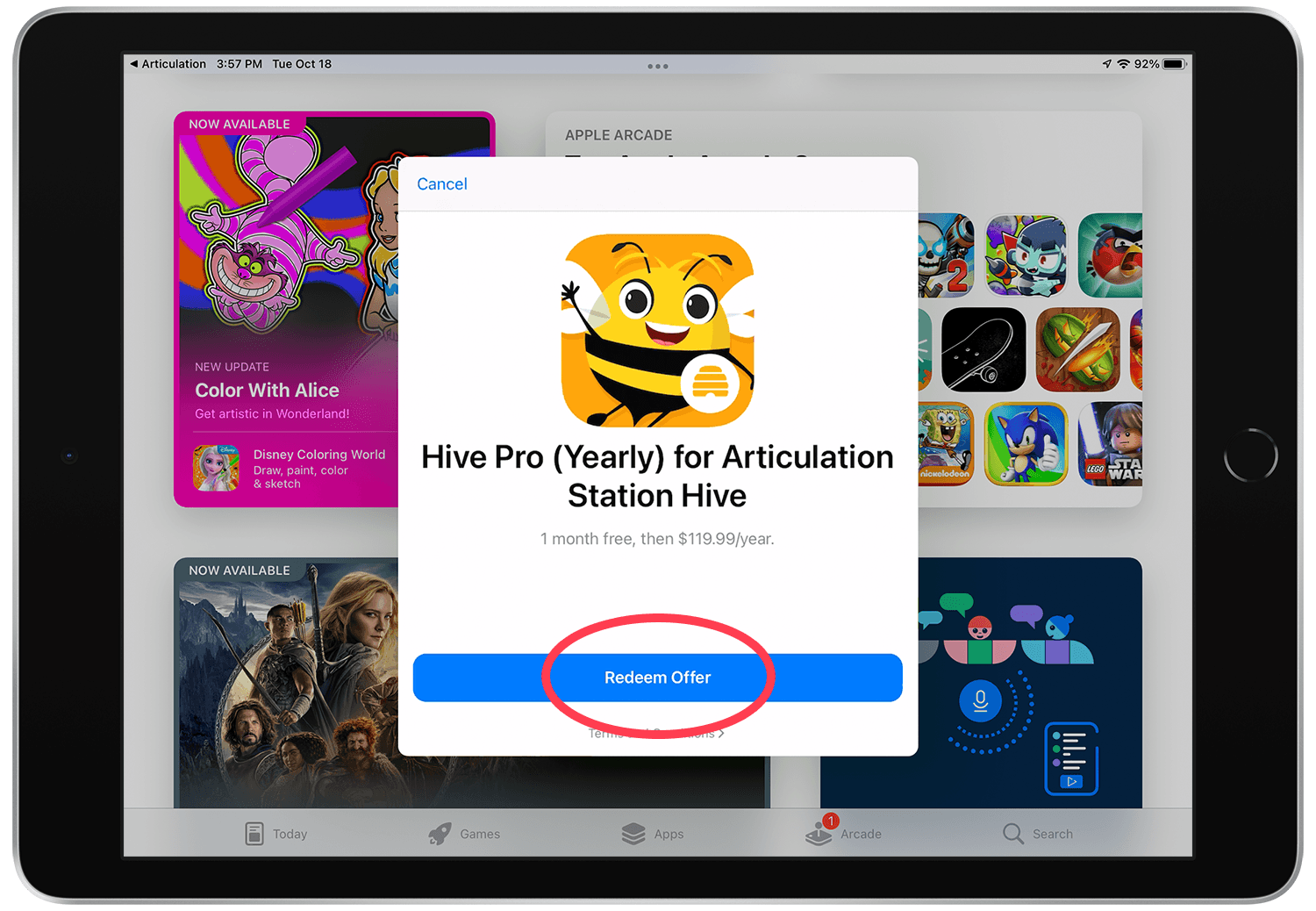
Tap "Redeem Offer" on the offer details screen.
Step 6.
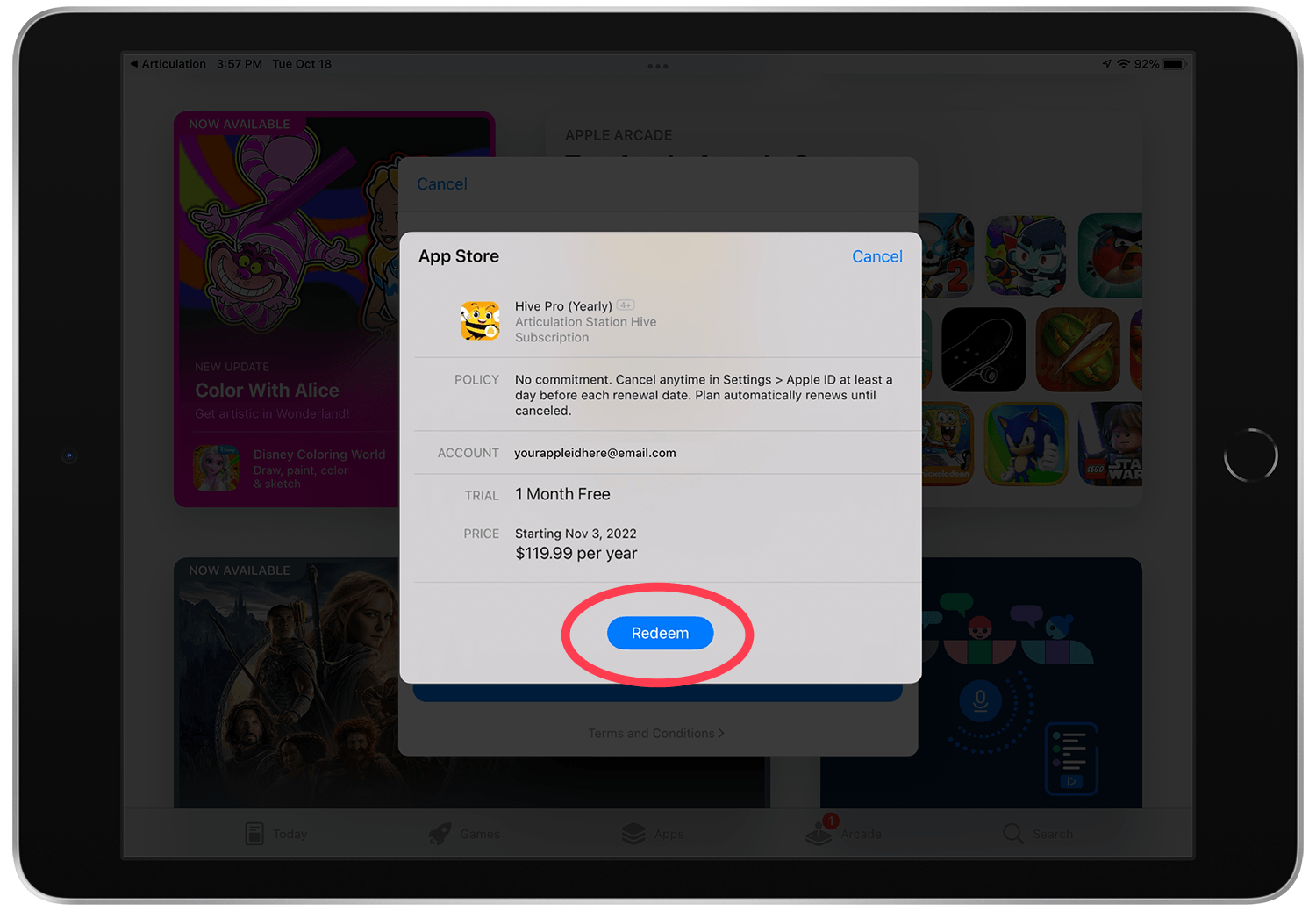
Tap "Redeem" on the App Store pop up.
Step 7.
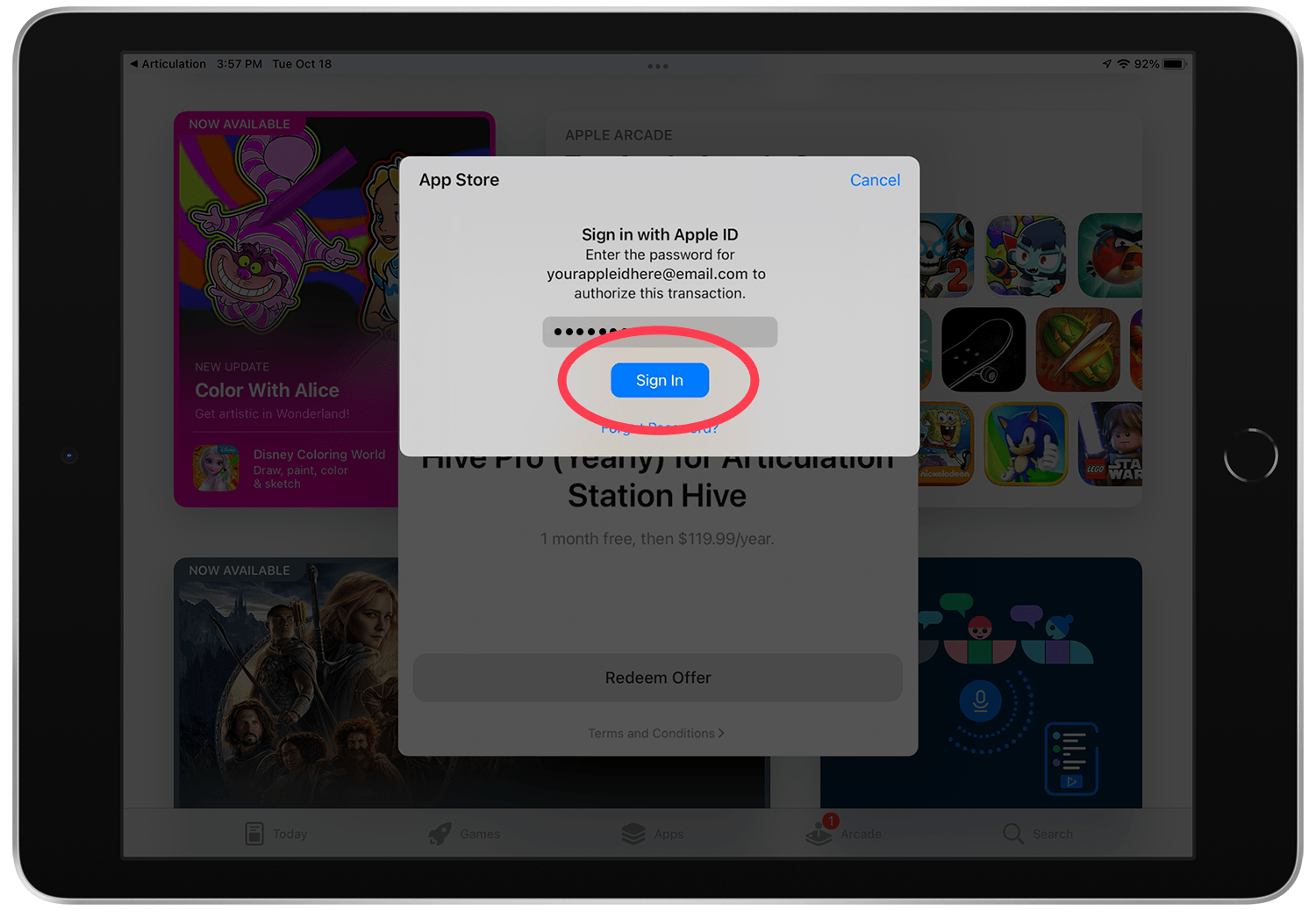
Sign in with your Apple ID if prompted. Be sure to sign in to the same Apple ID that was used to download the app initially.
Step 8.
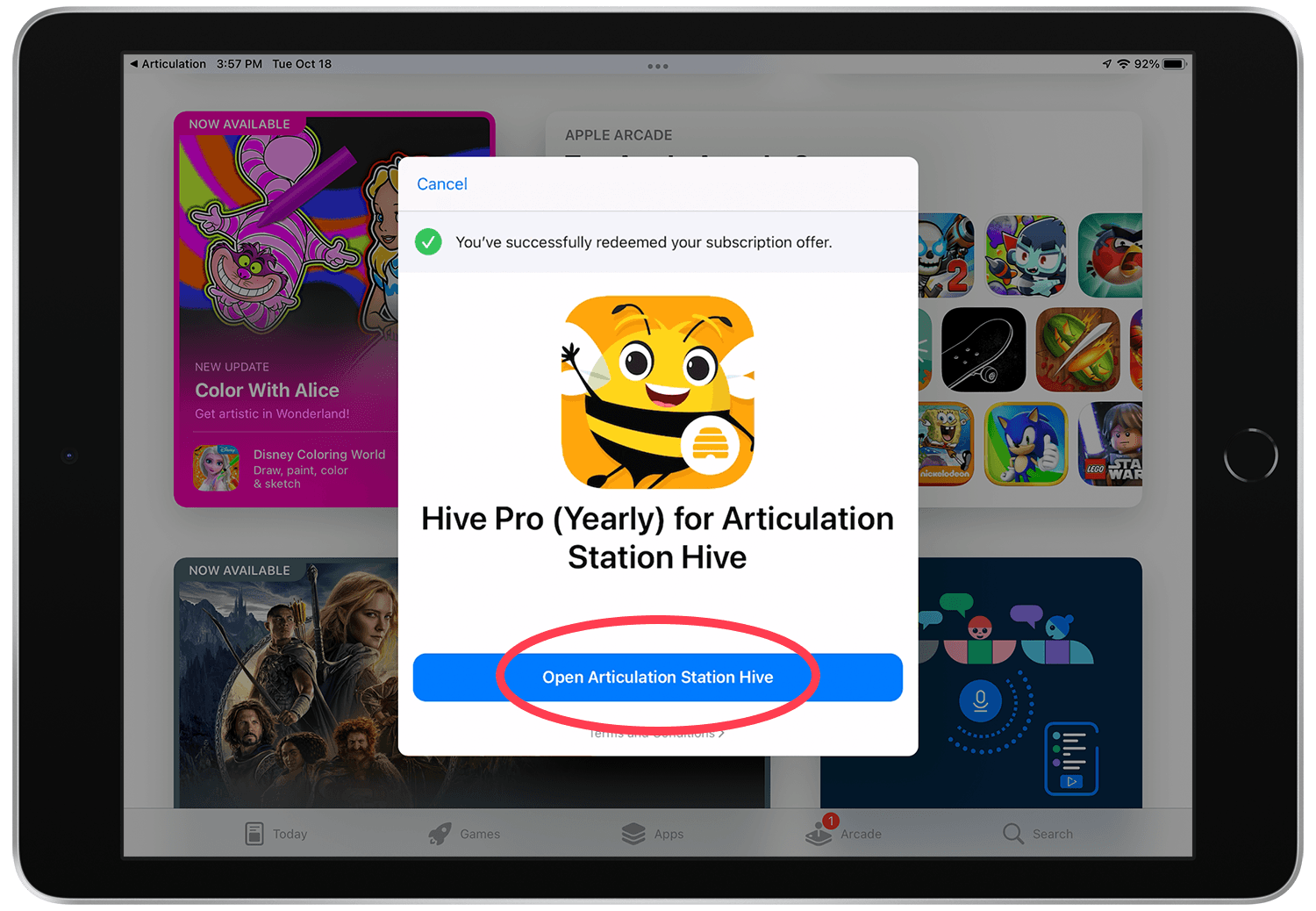
Success! Tap "Open Articulation Station Hive".
Step 9.
Enjoy using Articulation Station Hive.