
Subscription promotion codes are uniquely named custom codes that provide auto-renewable subscriptions at a discounted price for a specific duration. These codes can be redeemed from within Articulation Station Hive and Articulation Test Center Hive.
* Subscription offer codes can only be redeemed by new or expired users and require an internet connection.
Step 1.
Download Articulation Station Hive or Articulation Test Center Hive from the App Store on your iPad, iPhone or silicon Mac.
Step 2.
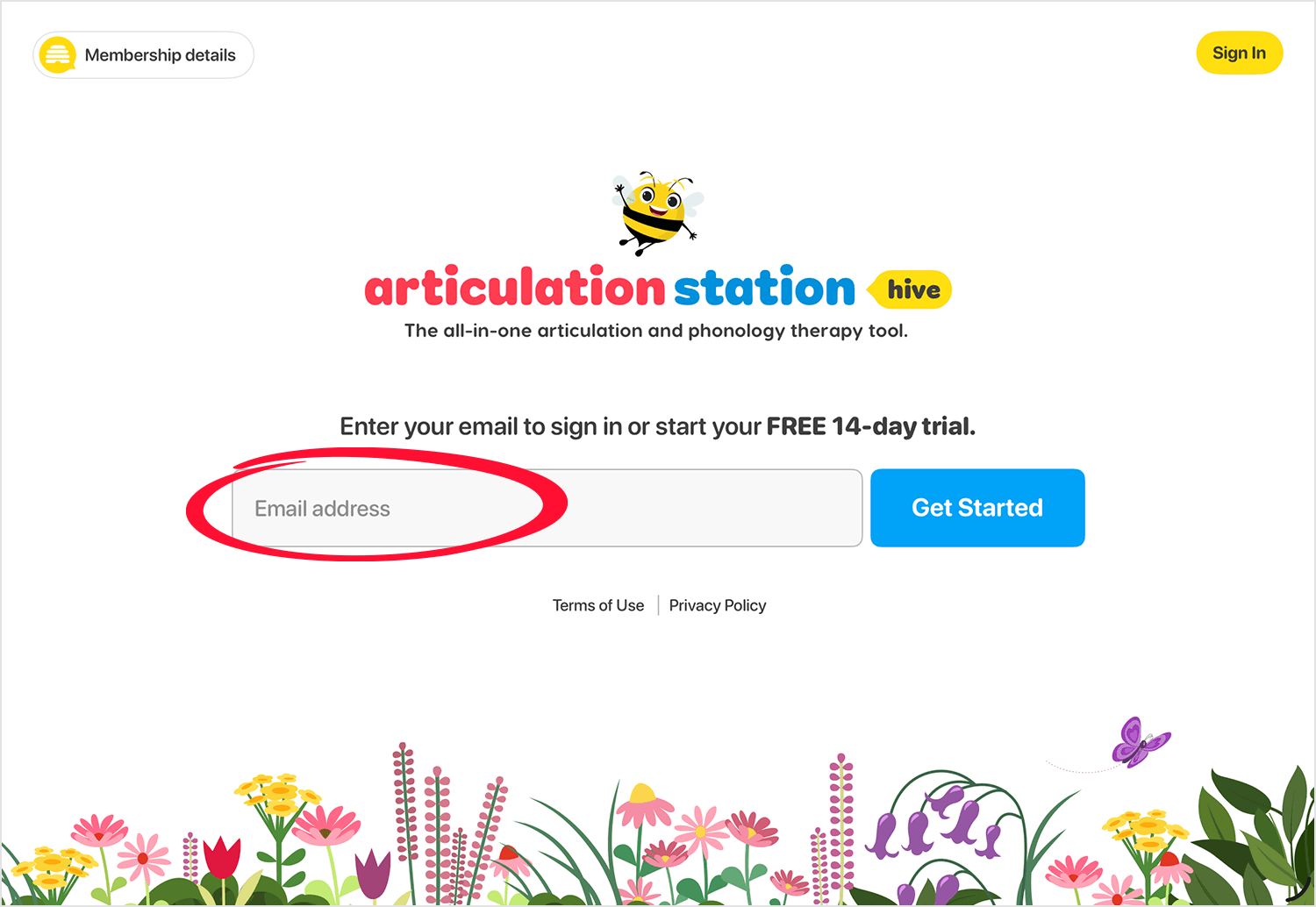
Enter your email then tap "Get Started".
Step 3.
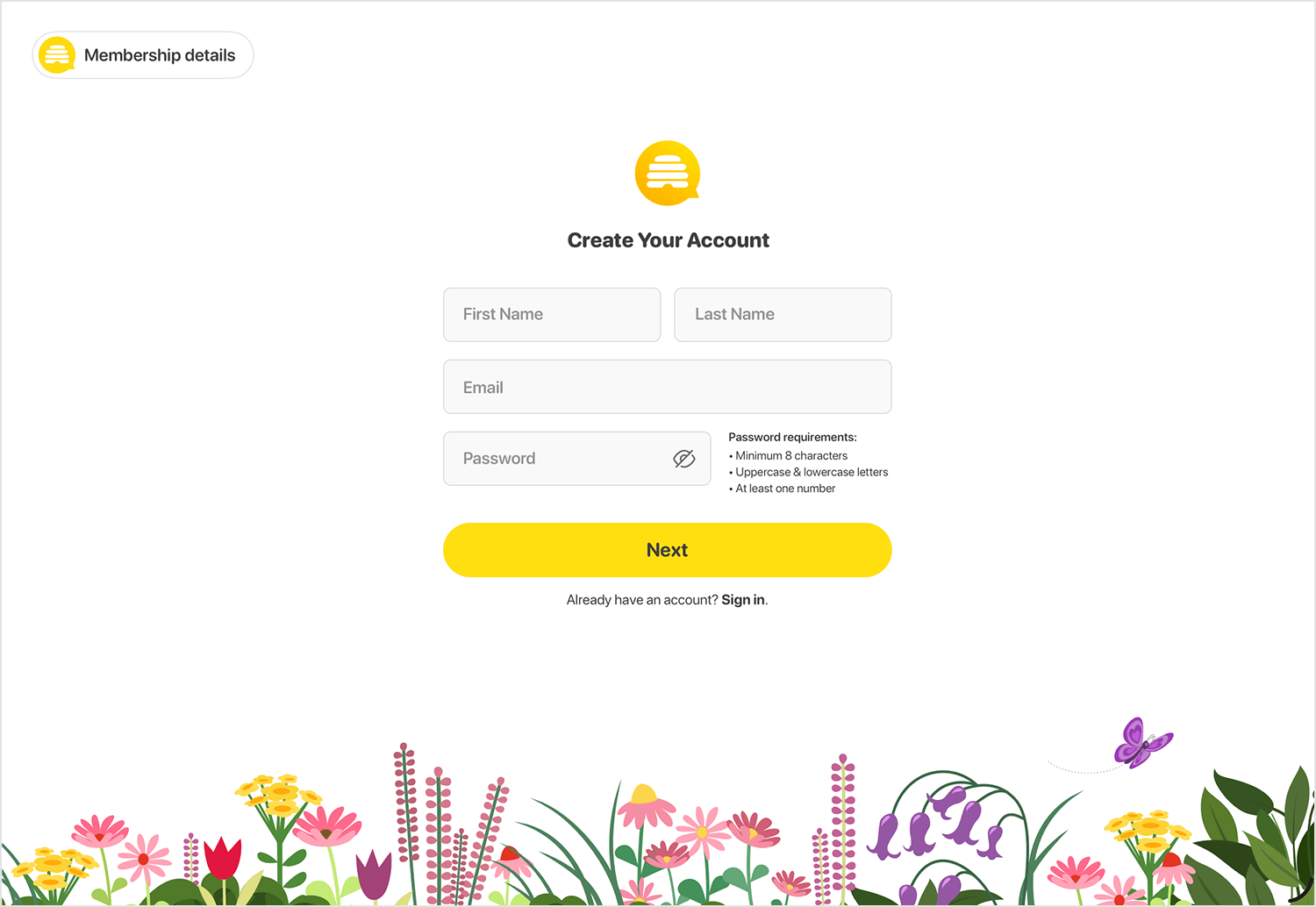
Create and verify your Little Bee Hive account.
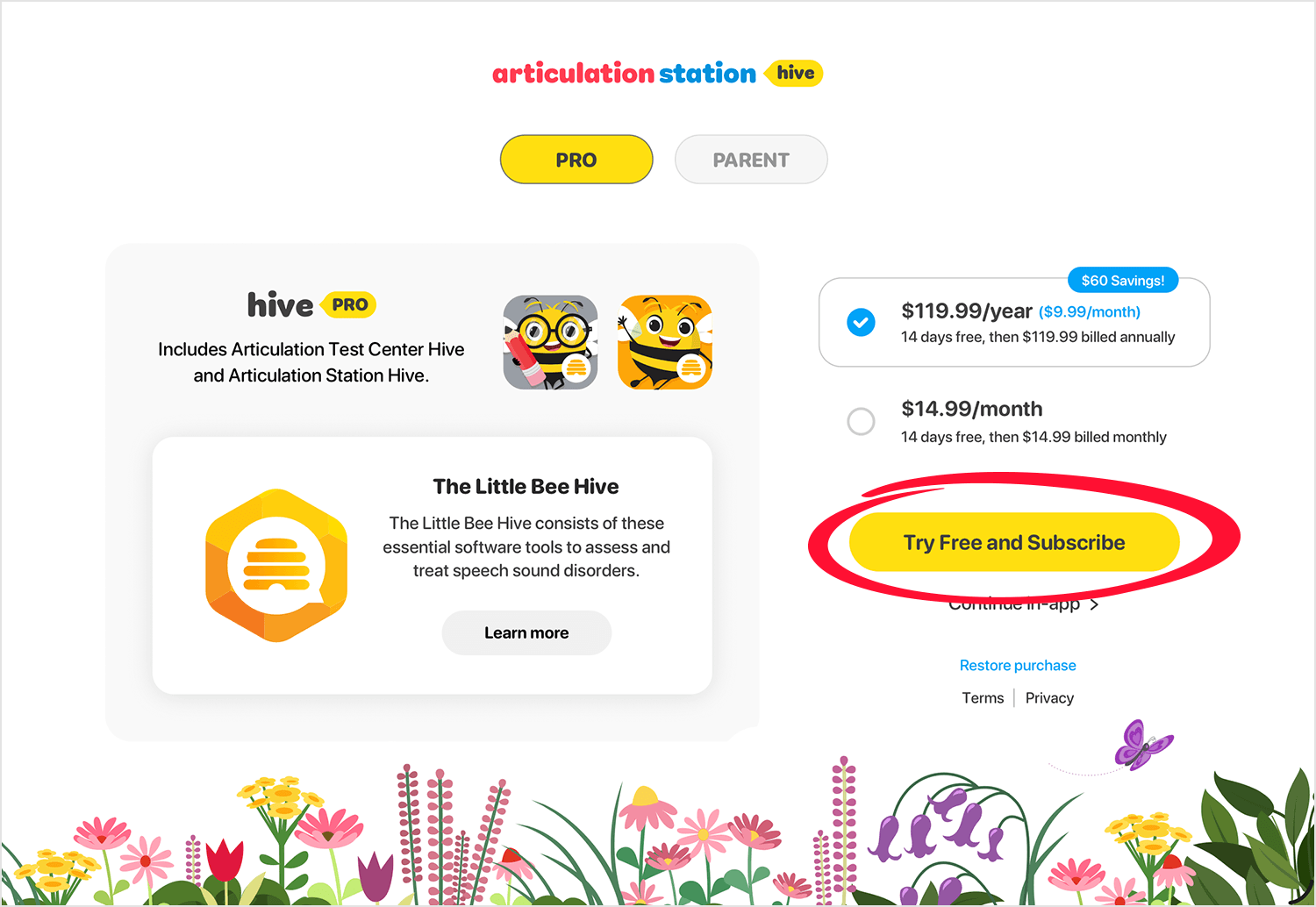
Step 4.
On the pricing screen, select your plan then tap the yellow button "Try Free and Subscribe".
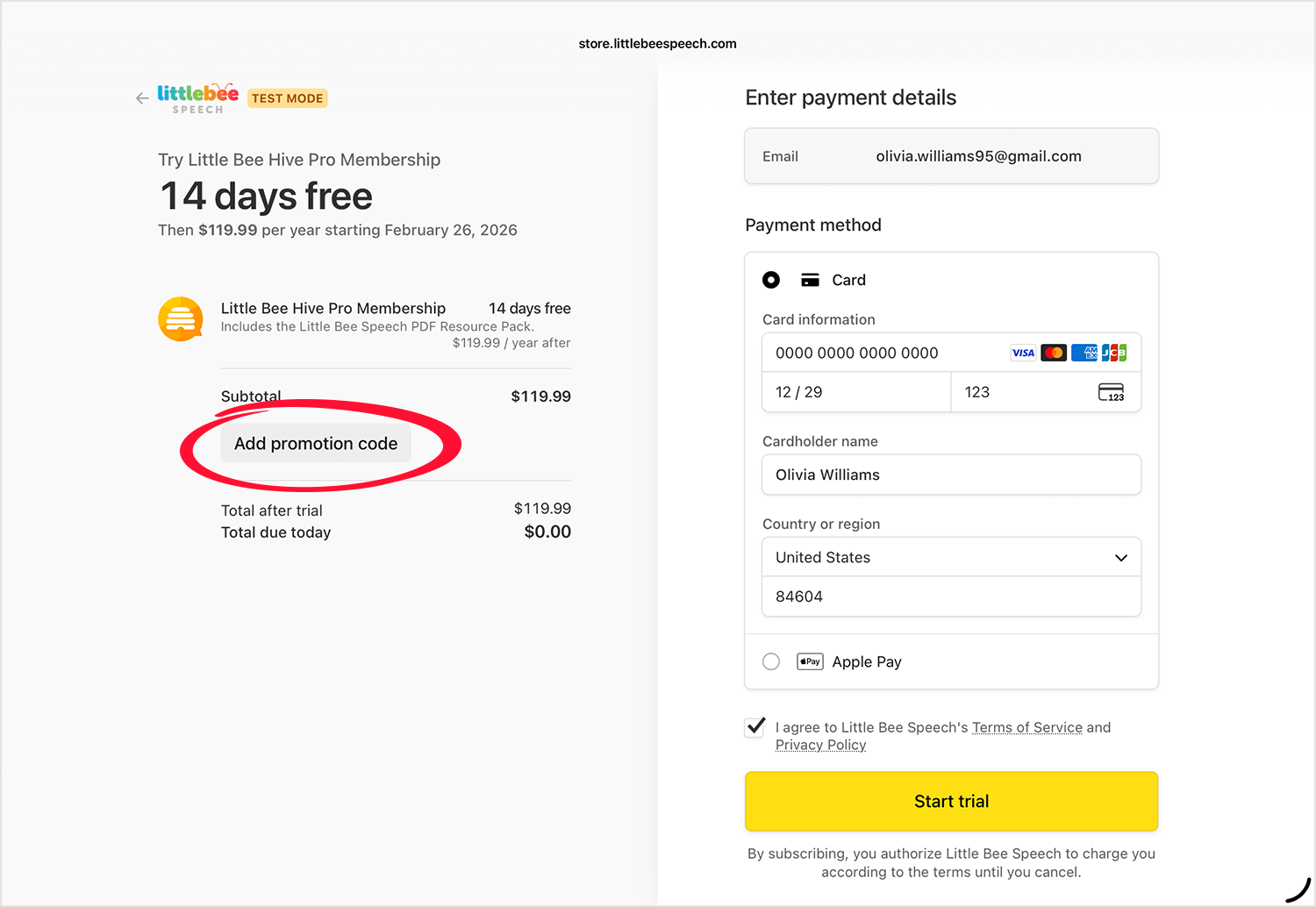
Step 5.
On the payment screen tap "Add promotional code".
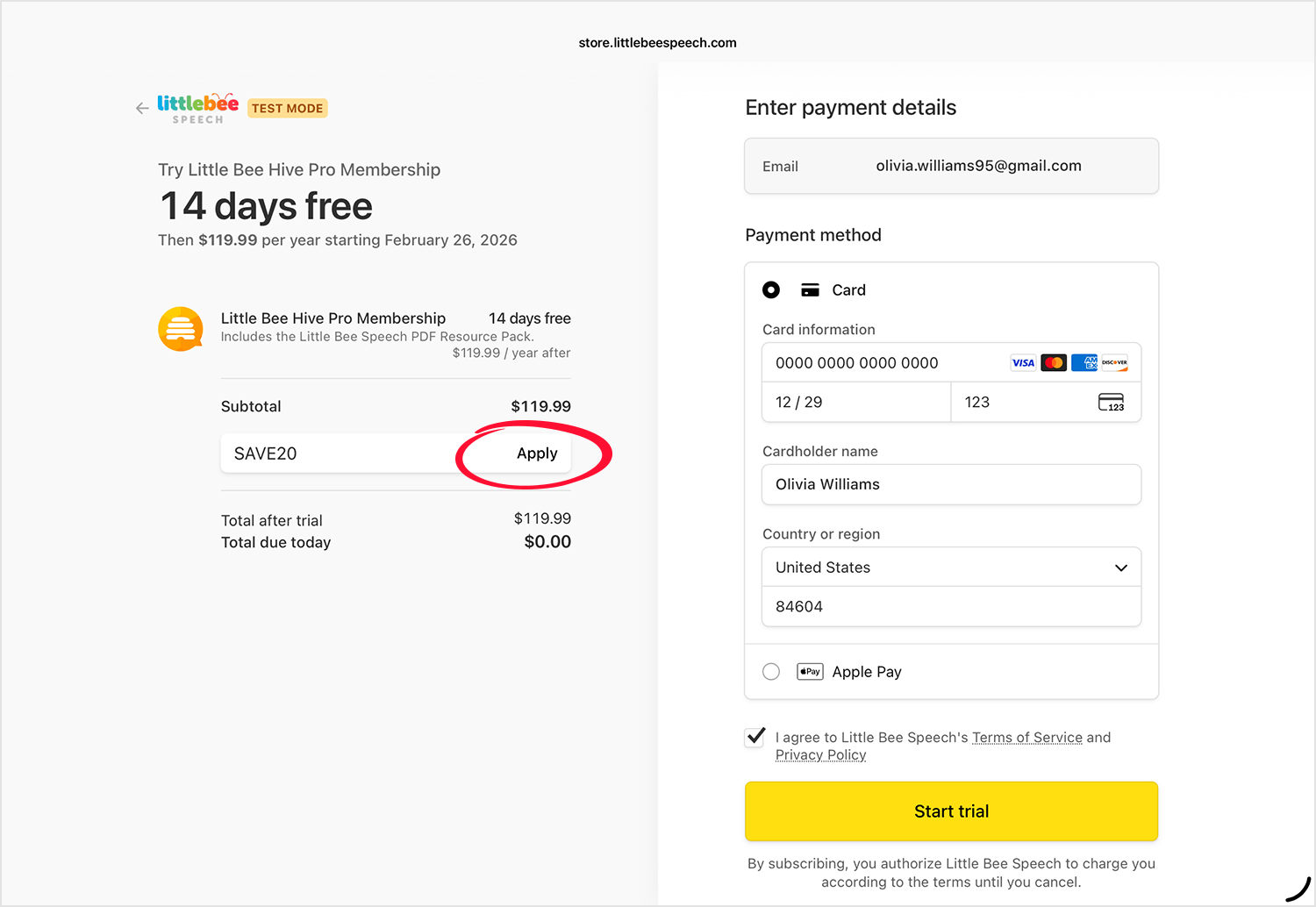
Step 6.
Add the code then tap "Apply". * If you don't tap Apply the code will not be applied to the price.
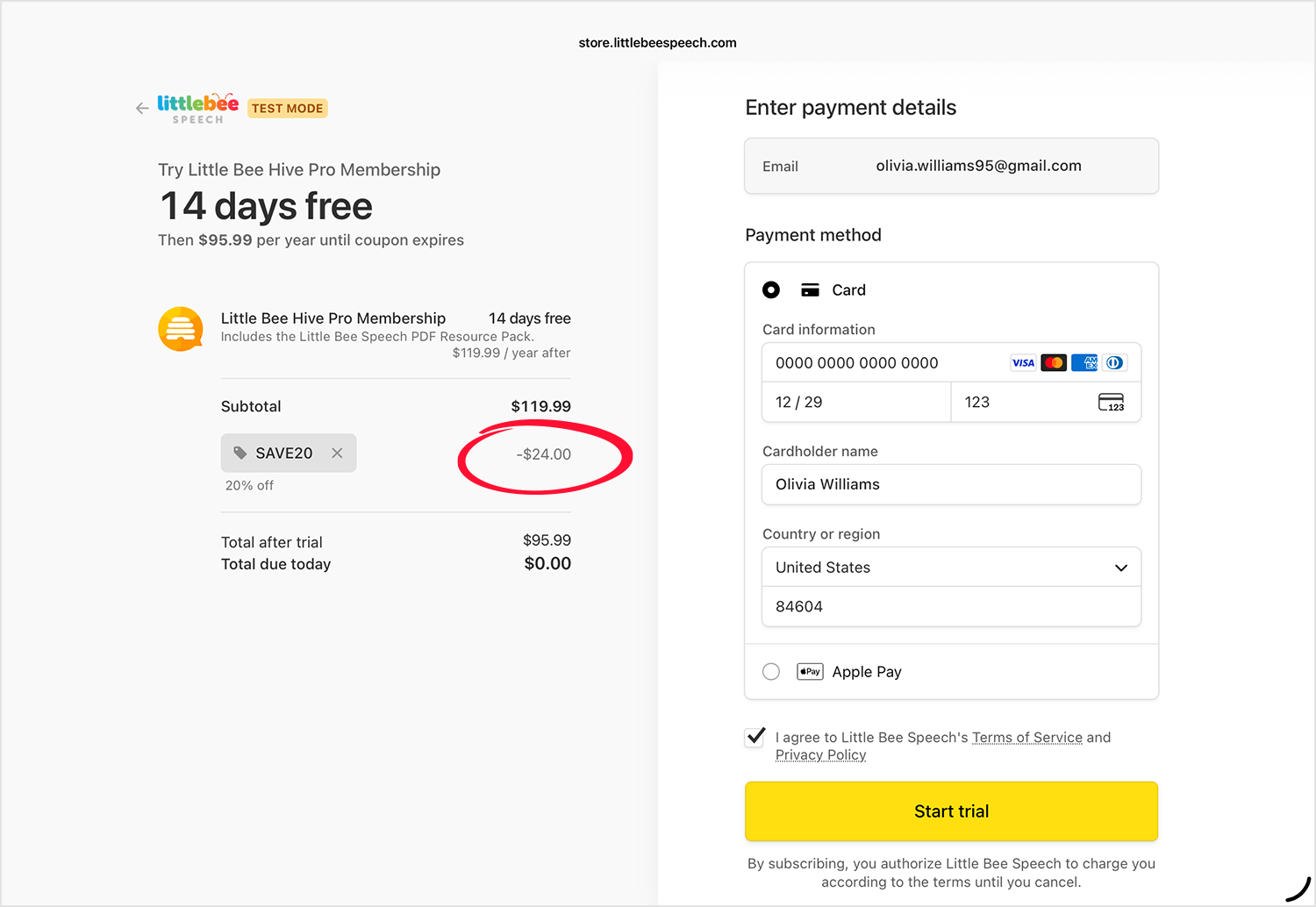
Step 7.
Confirm that the discount is shown and applied to the price. Fill out the payment information and tap "Start trial". You will be charged the discounted rate at the end of your free trial.
Step 8.
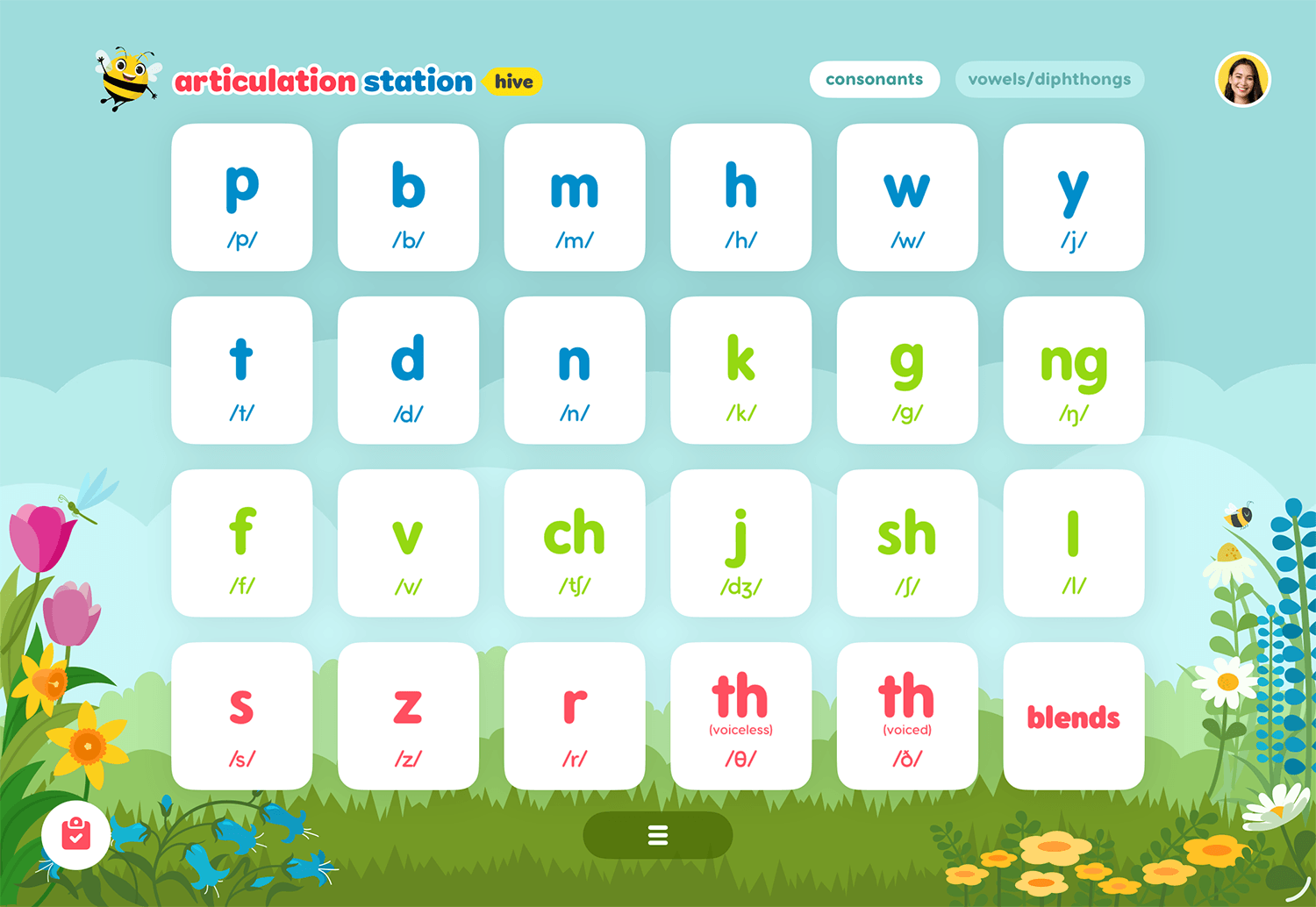
You will then be redirected to the home screen of the app. Enjoy! 🎉