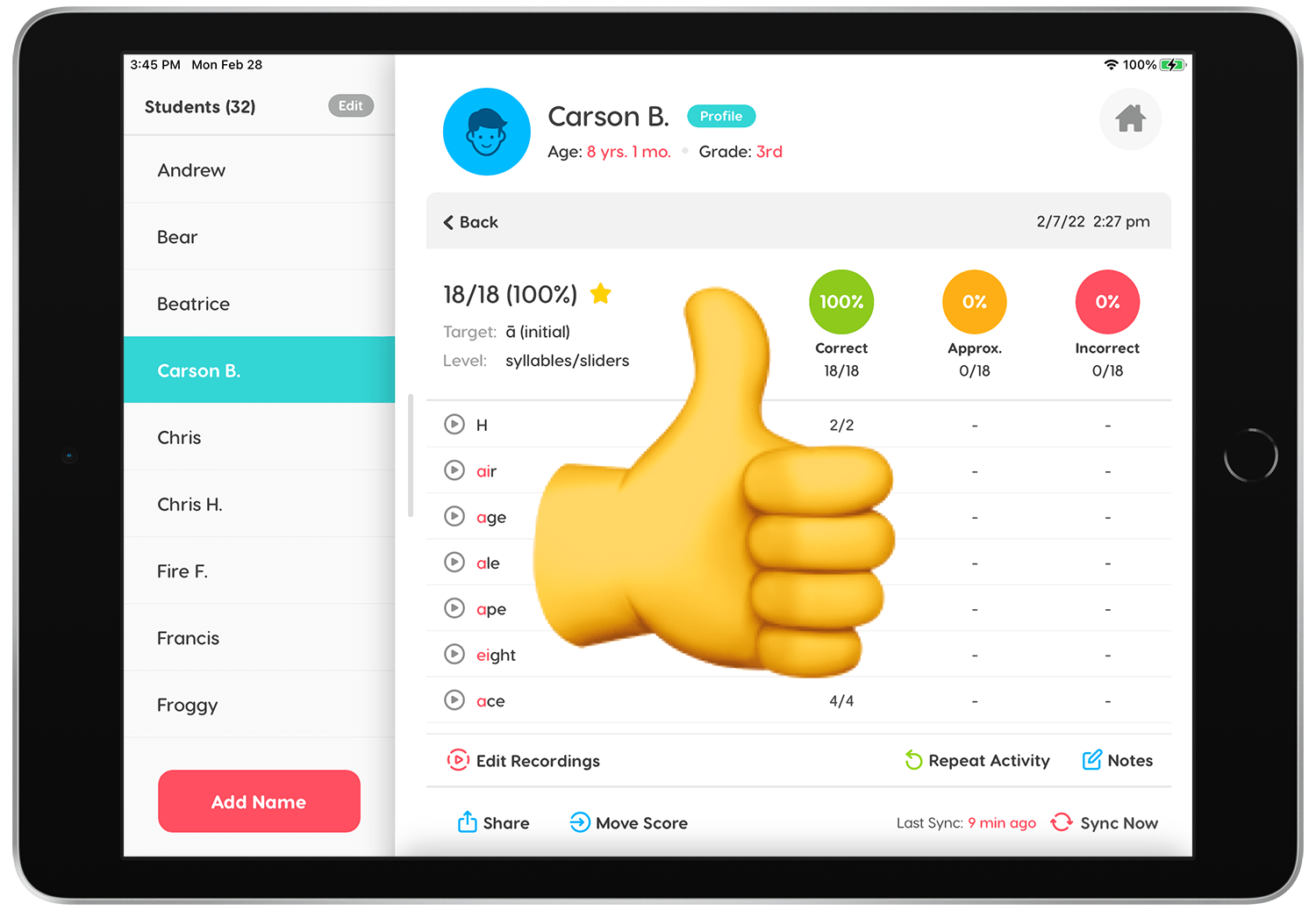

If you accidentally save a score to the wrong student, fear not.. it can be fixed! It's easy to move a score from one student to another in Articulation Station Hive.
Step 1.
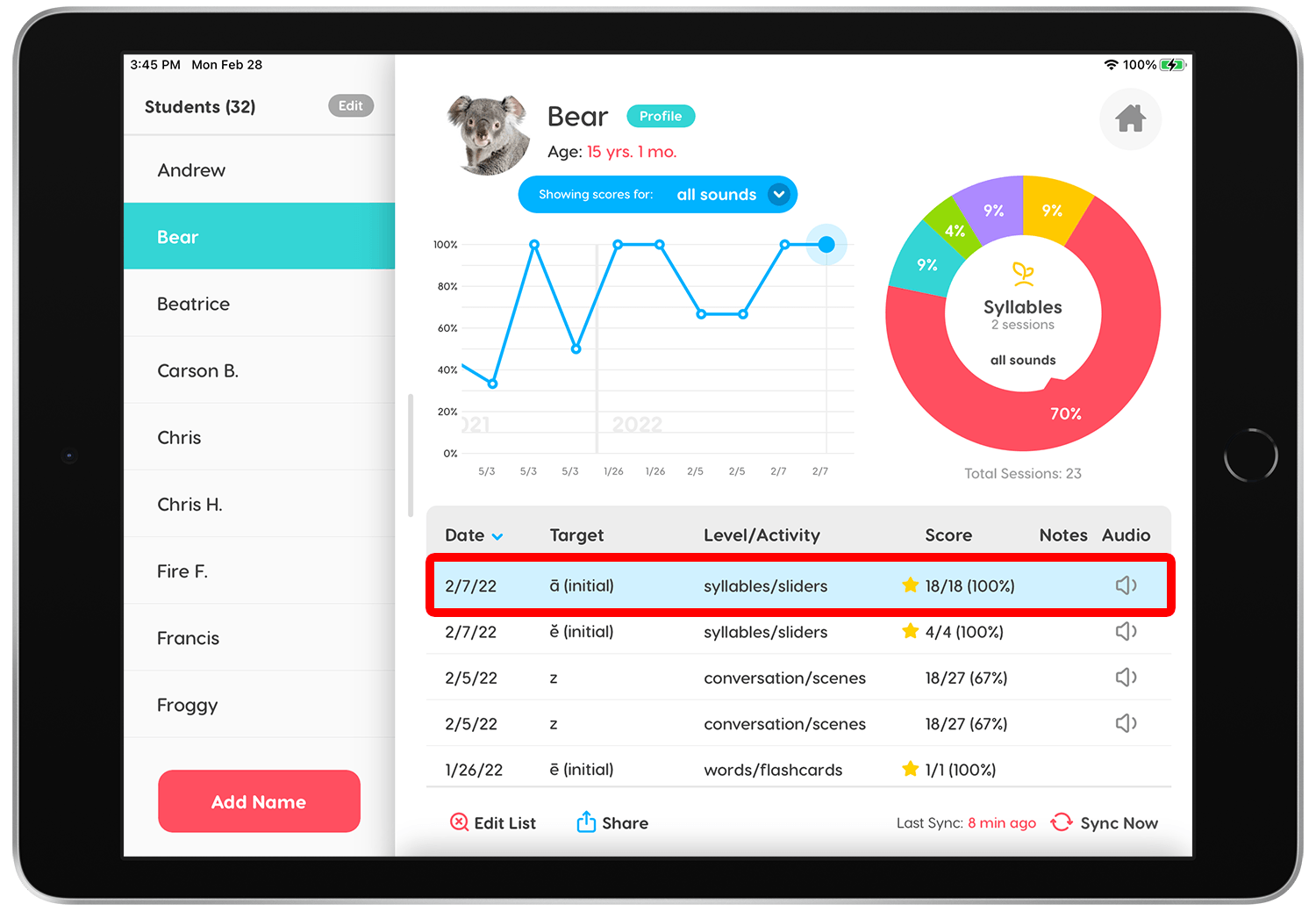
Tap on the score you would like to move to see the score details.
Step 2.
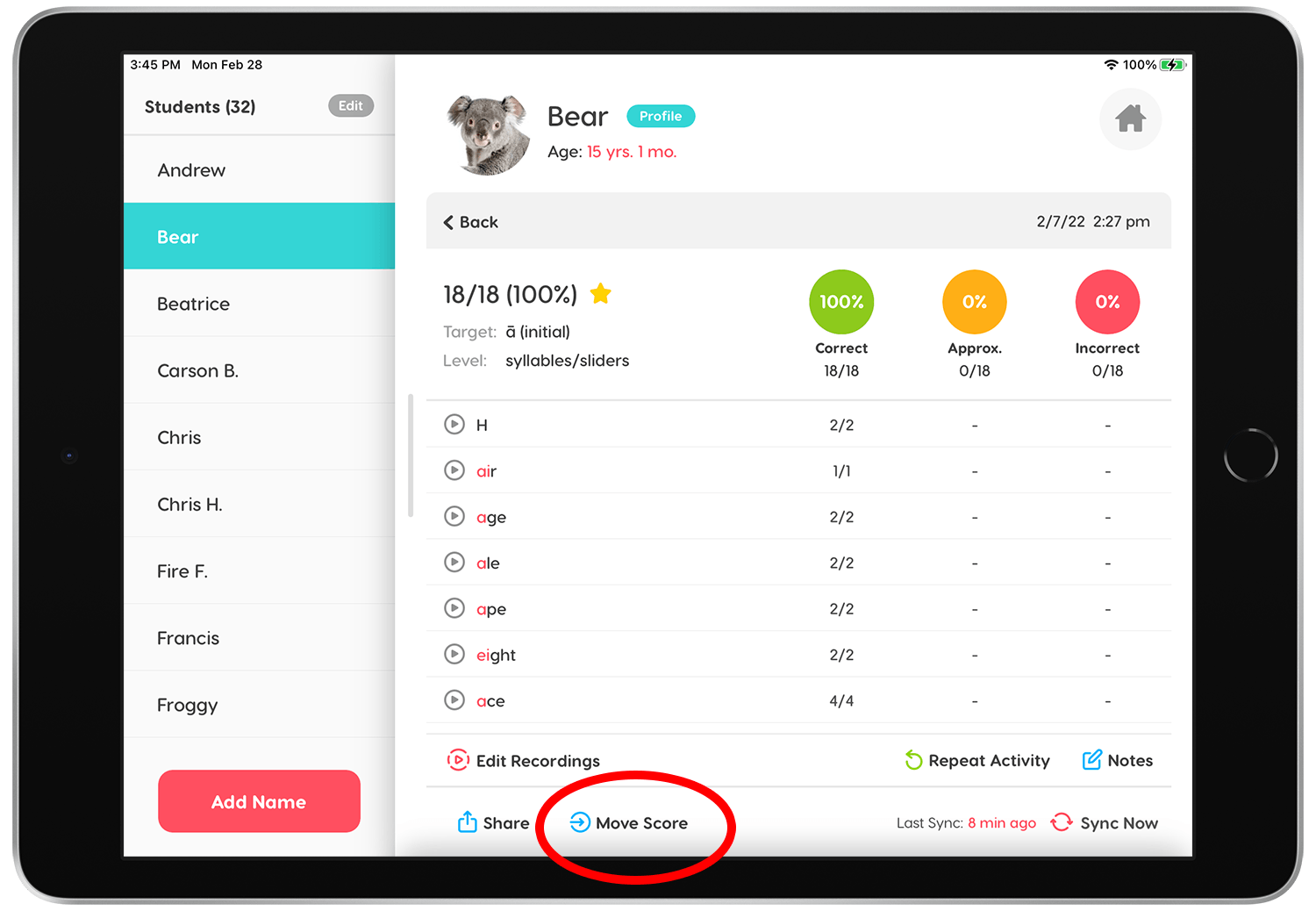
On the score details screen tap the "Move Score" button.
Step 3.
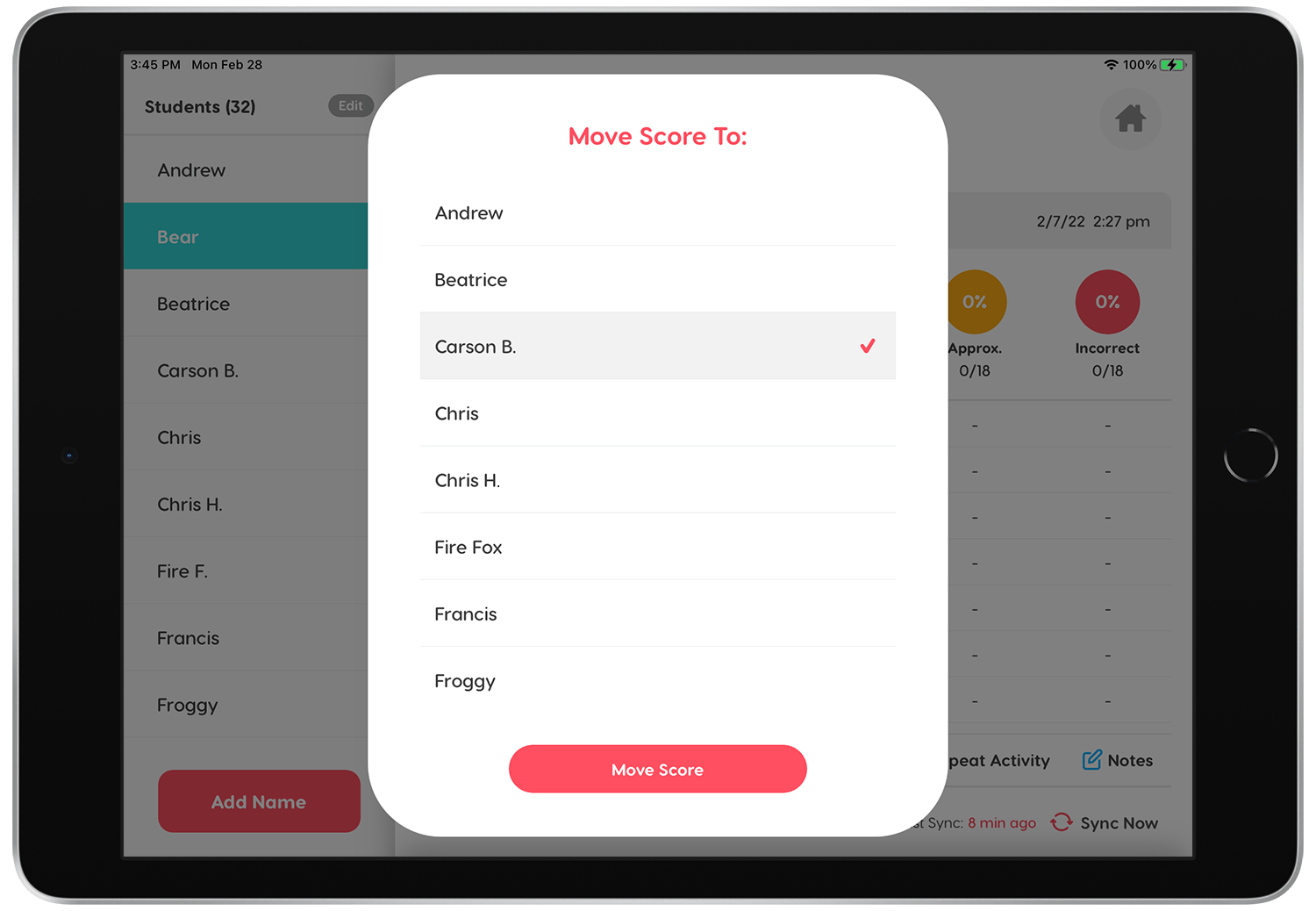
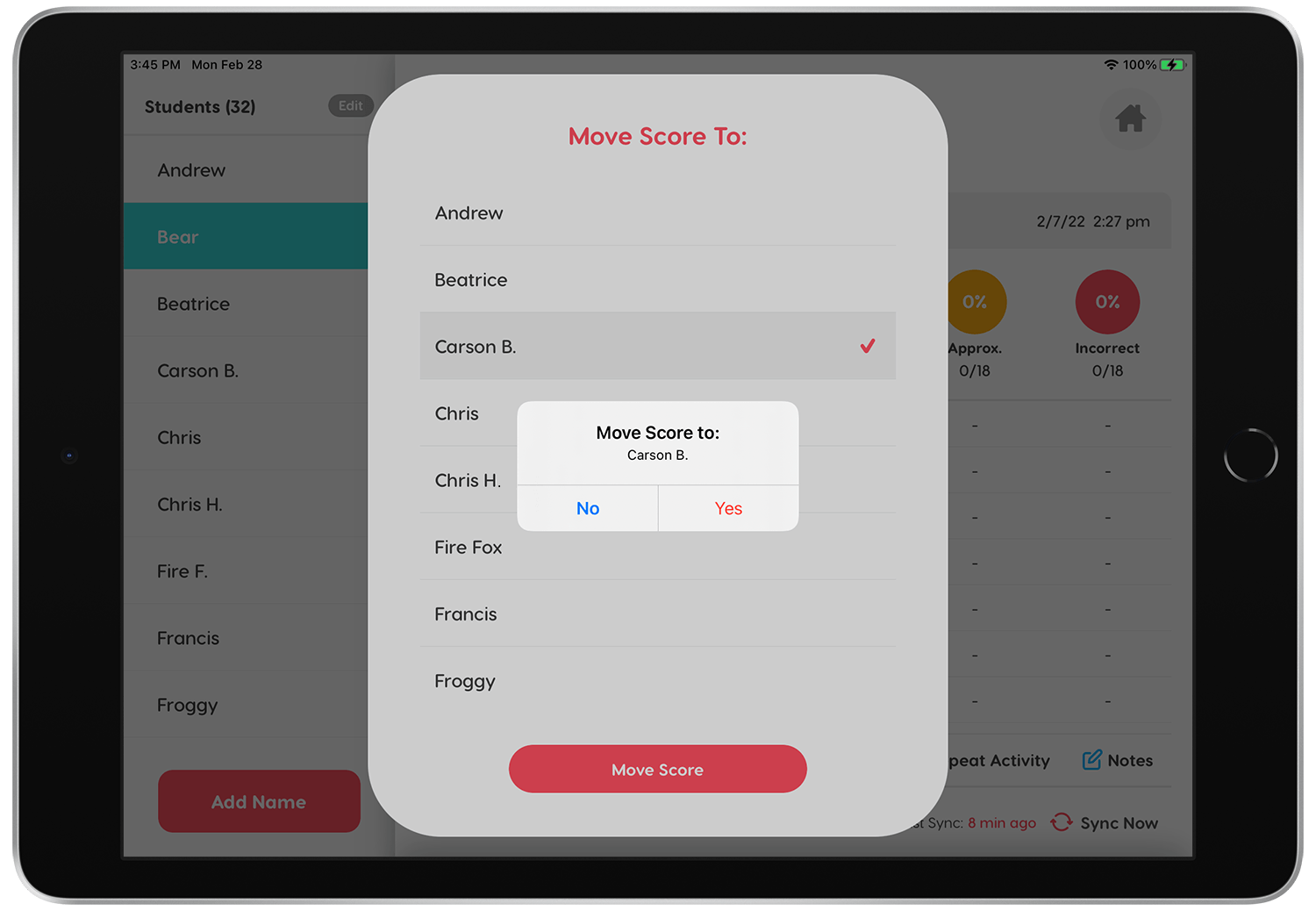
Select the student you would like to move the score to.
Step 4.
Confirm the student you want to move the score to.
Step 5.
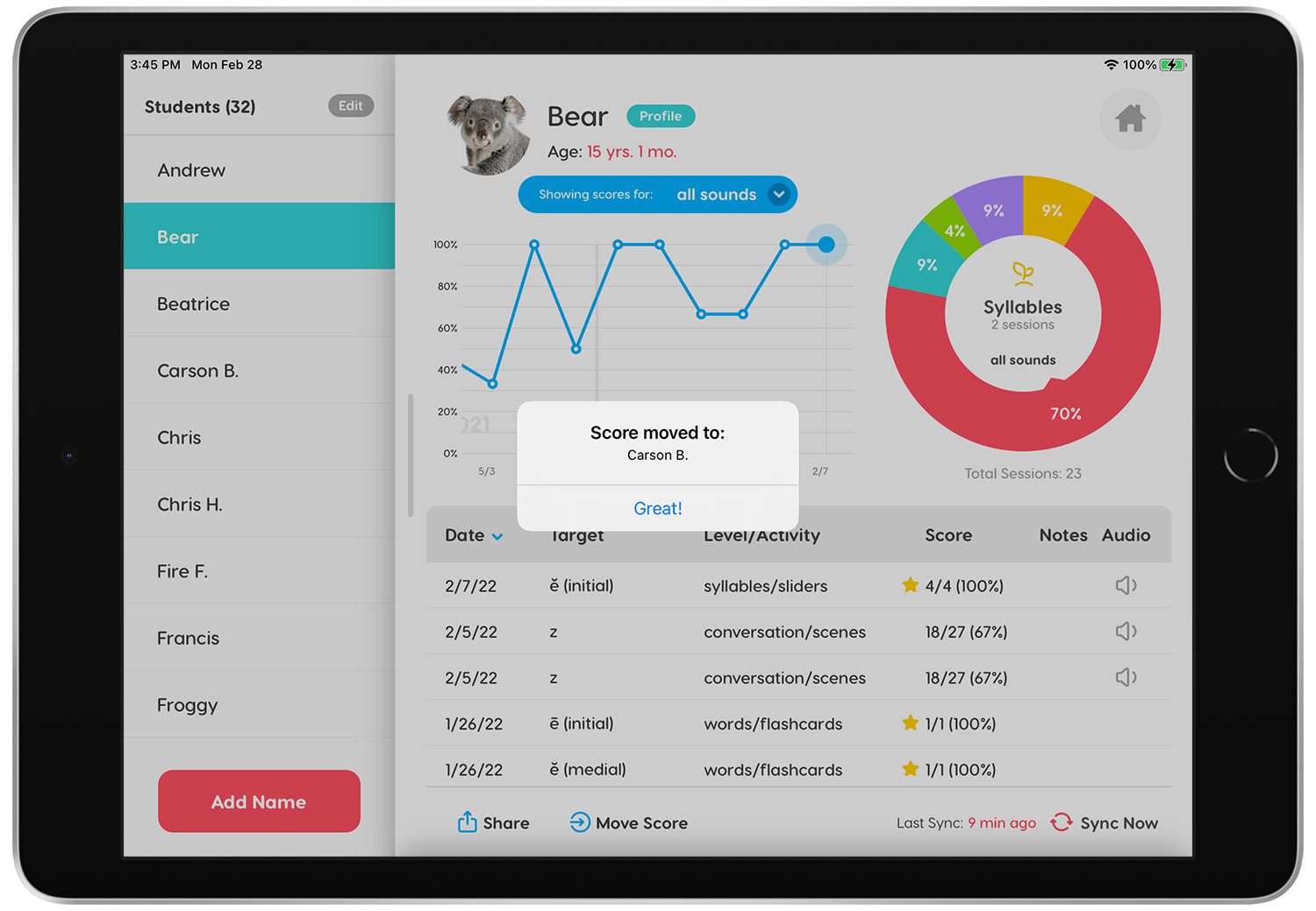
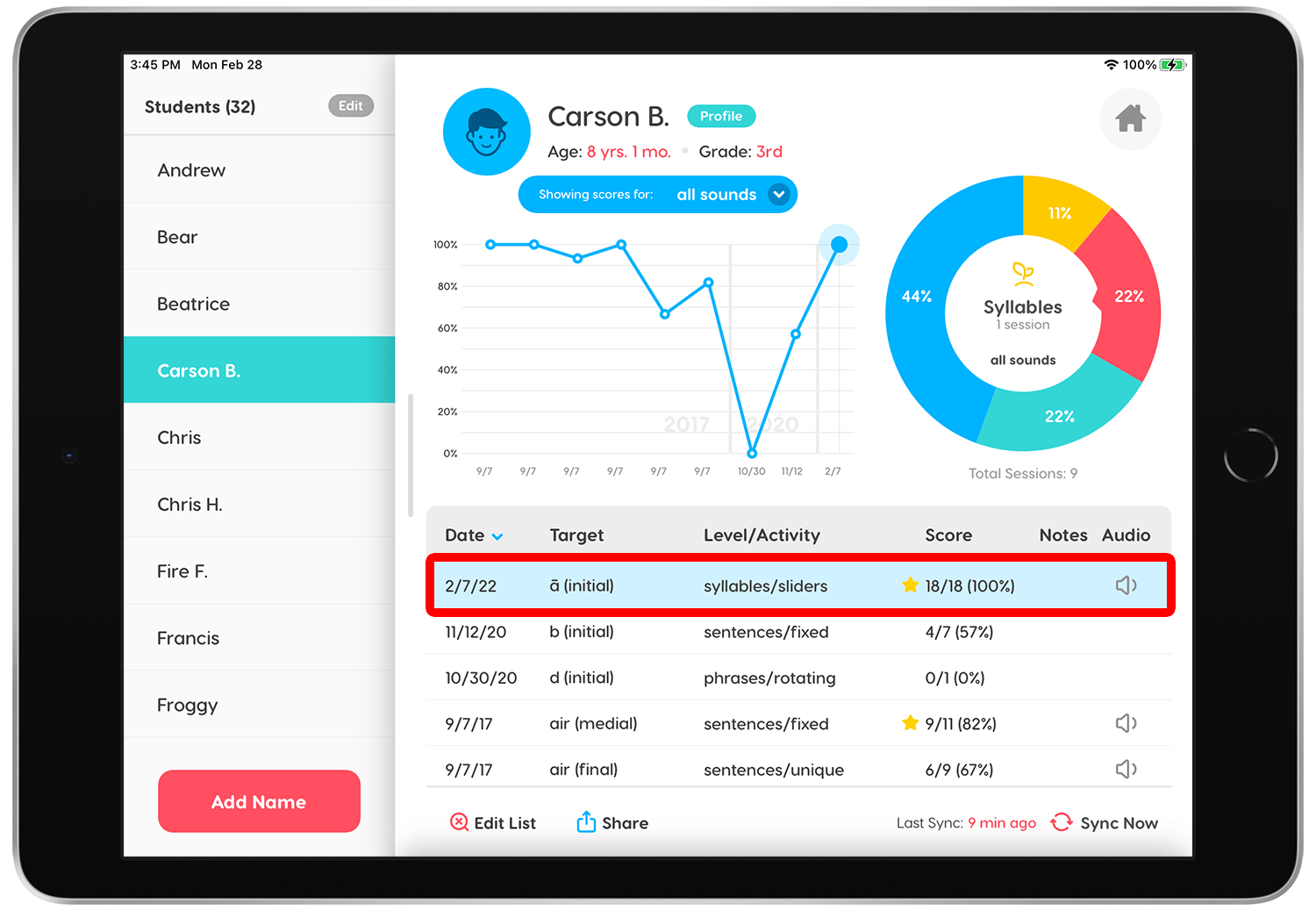
Once the score has been moved, tap on the student who received the score and you'll see the new score listed under their name. Tap the score to review the details.
Step 6.
Success! Now you can rest easy knowing that the score is saved to the correct student.