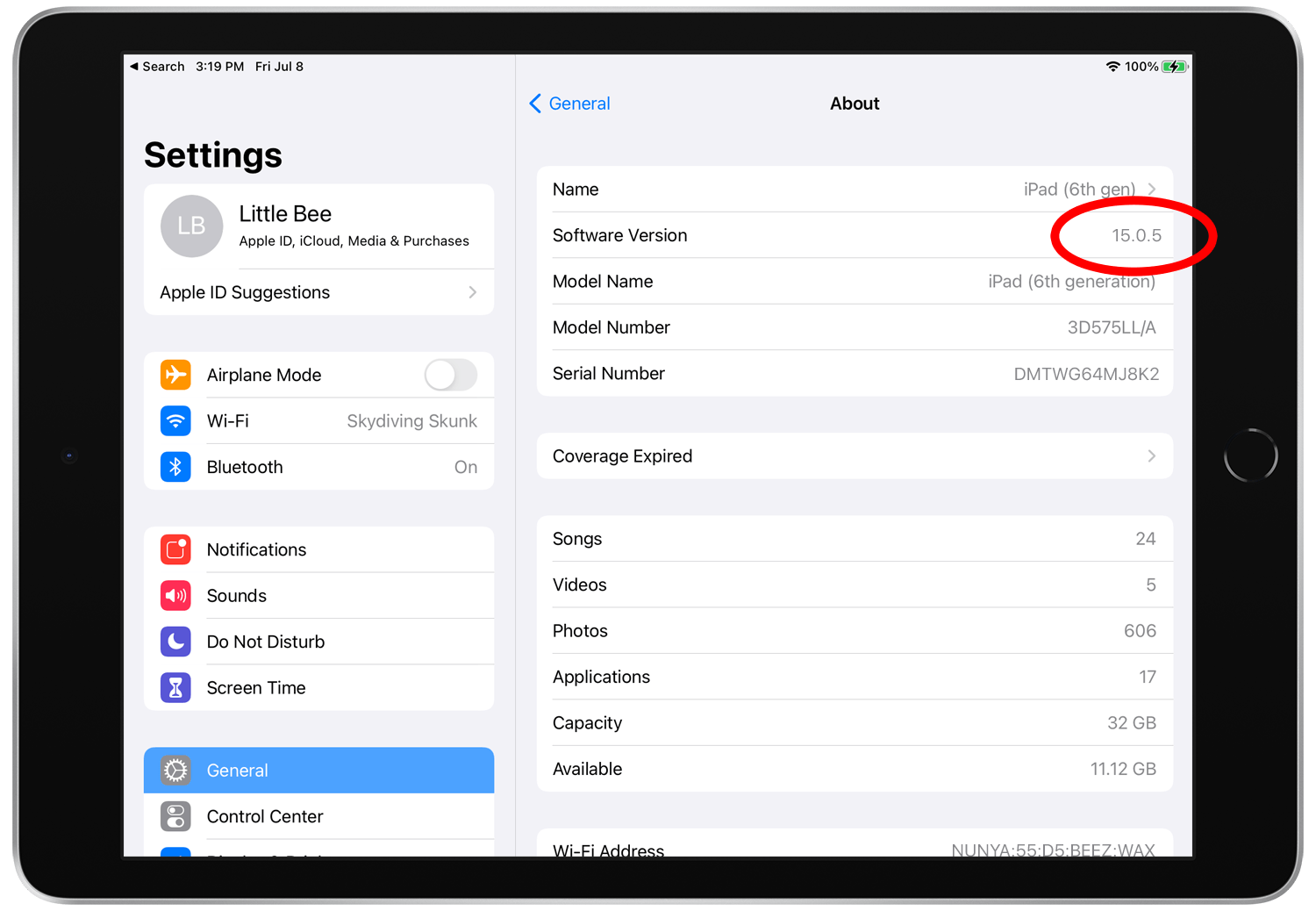

To find the find the version of iOS, iPadOS, or iPod software installed on your iPhone, iPad, or iPod do the following:
1. Open the Settings app on your iPad, iPod, or iPhone.
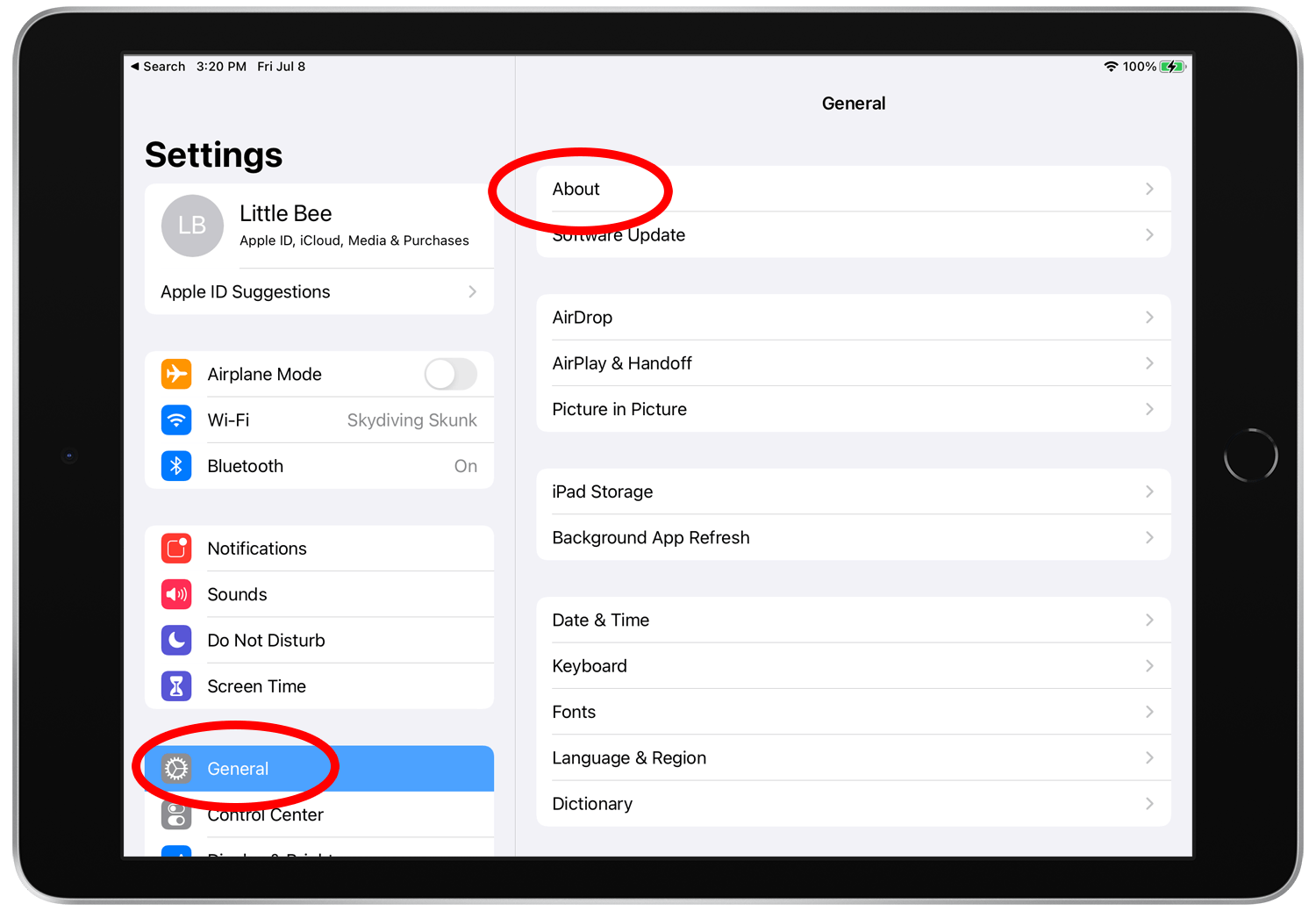
2. Tap General > About
3. The iOS version number will be a 3 or 4 digit number as shown below.
For additional information on finding the iOS software version currently installed on your device, click below:
Find the software version on your iPhone, iPad, or iPod