

As a small team, we rely on App Store reviews to help others discover what our apps offer and how they can benefit from them.
Reviews are also very helpful to us so we know what you like about our apps and what we can improve on.
Rating and Reviewing an app is easy! Click the links below to rate Articulation Station Hive and Articulation Test Center Hive:

Rate Articulation Station Hive
Rate Articulation Test Center Hive
You can follow the steps below to rate and review any app on the App Store. While it's an iPad shown below, this process is the same on an iPhone.
Step 1.
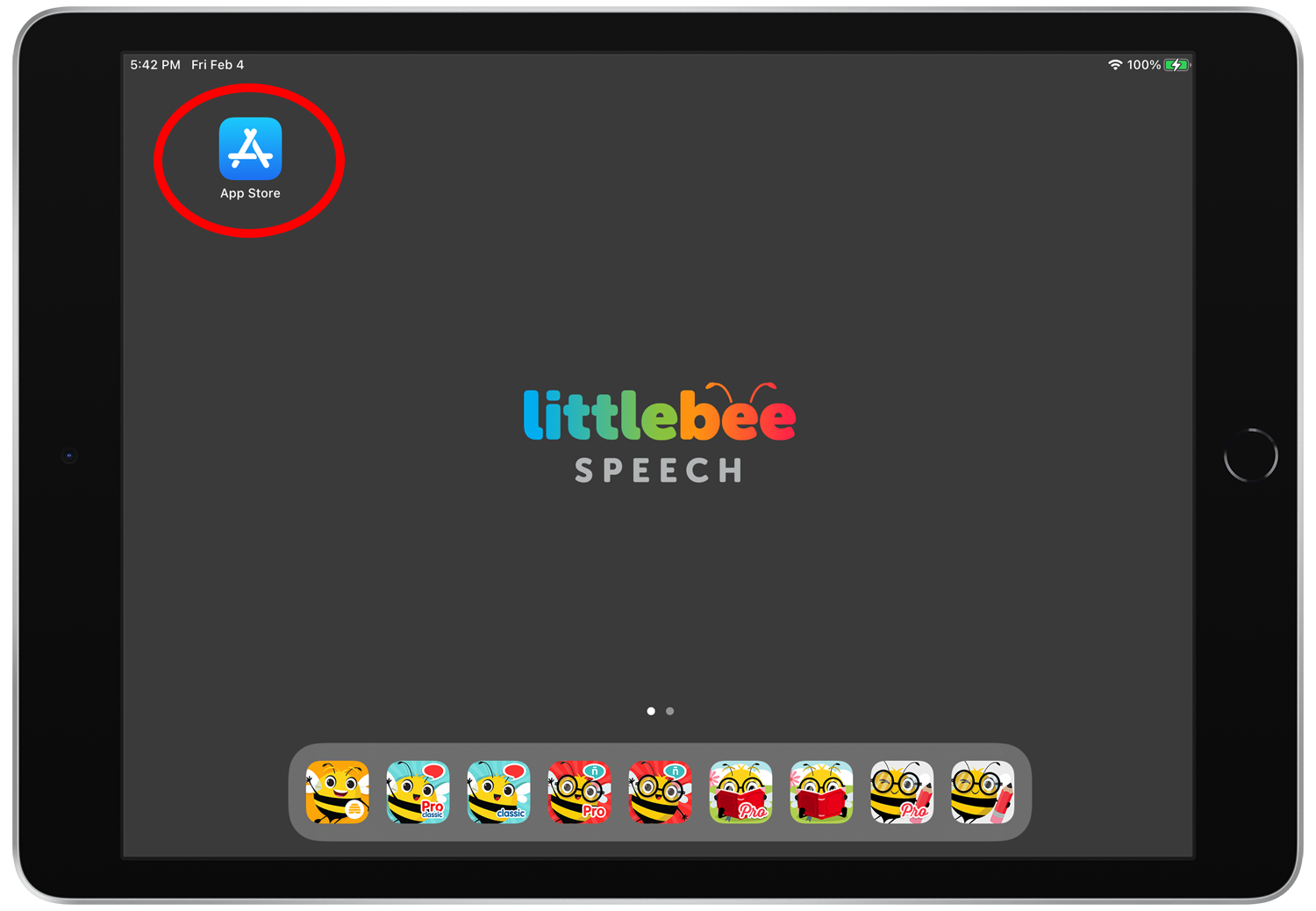
Open the App Store on your iPad
Step 2.
Sign in to the App Store with your Apple ID by tapping on the profile icon at the top right.

Step 3.
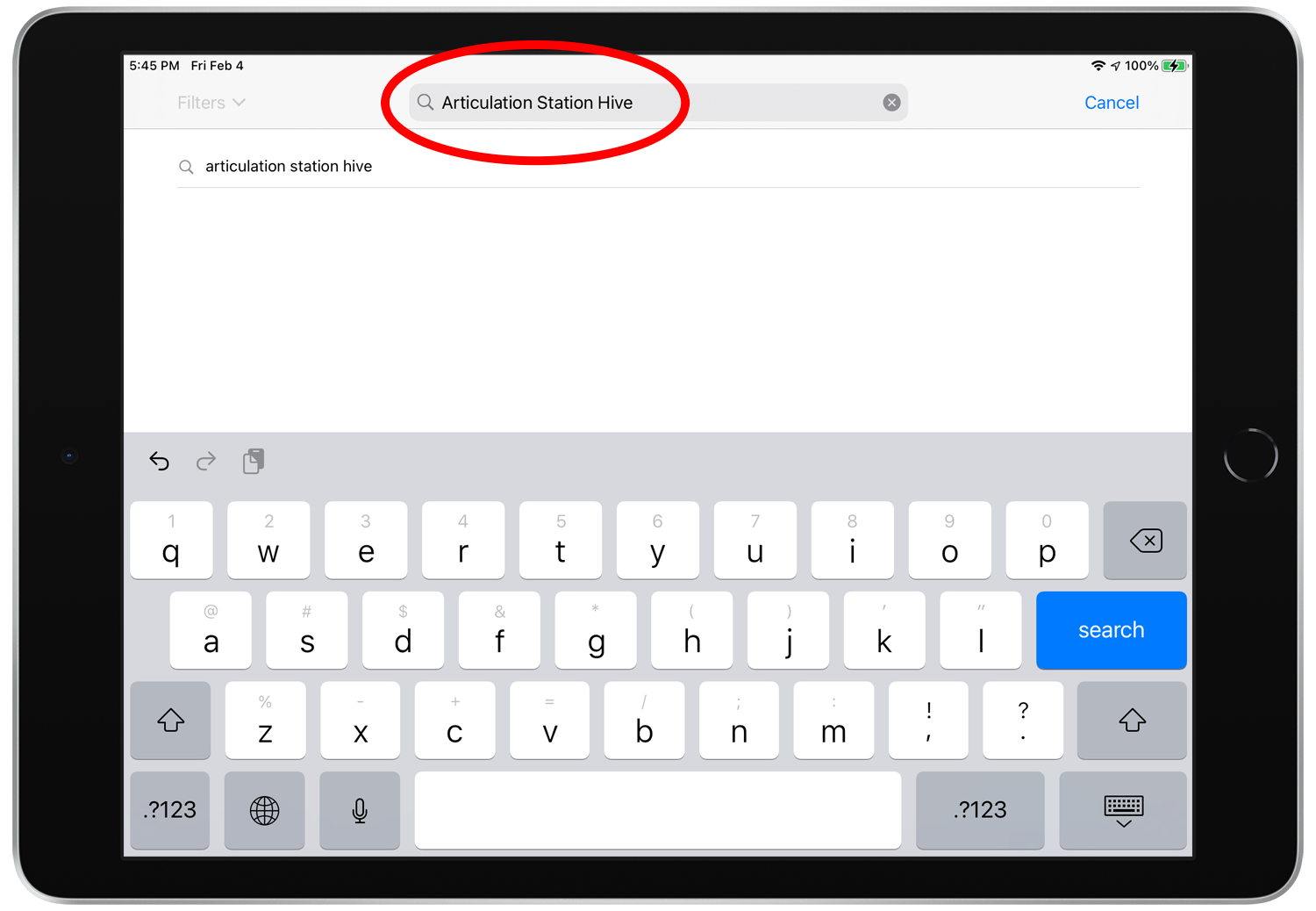
Once you’re signed in, search for the app that you want to review.
Step 4.
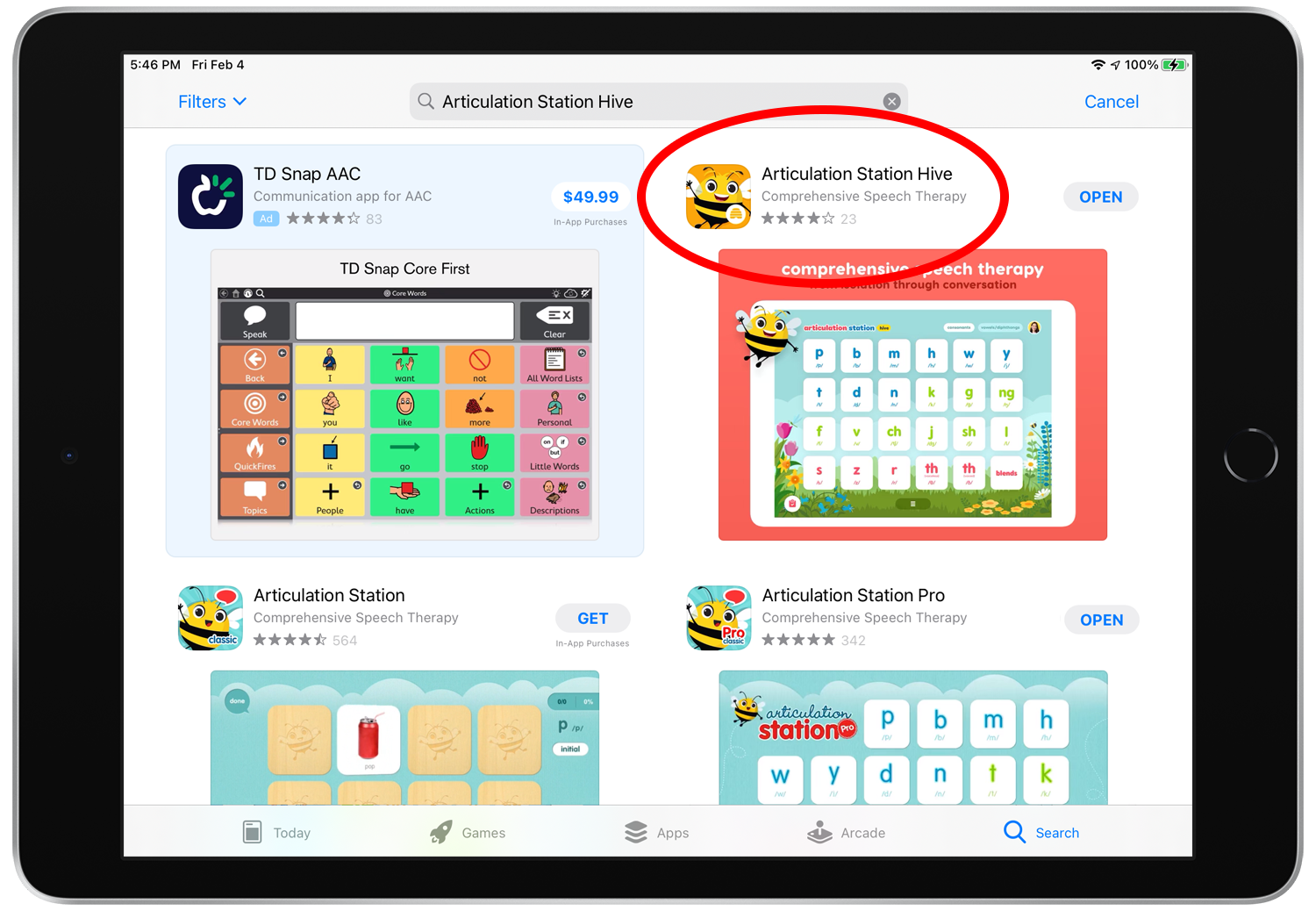
When you find the app in the search results tap on the app icon or large image thumbnail to view the store details screen of the app.
Step 5.
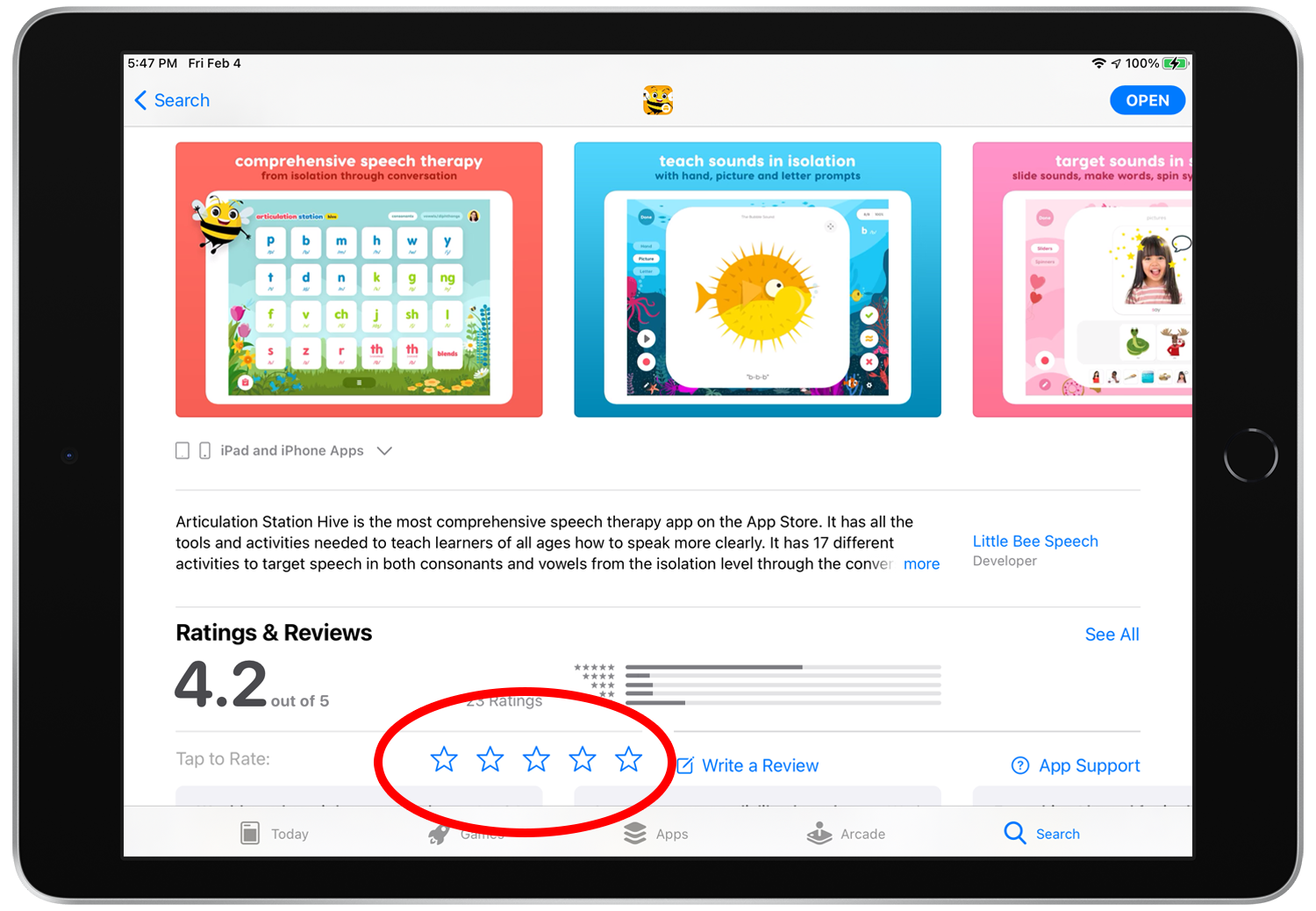
Download the app if you haven't already. Once the app is downloaded then scroll down until you see the “Ratings & Reviews” section with the stars. Tap on a star to give the app a rating (5 stars is the best!).
Step 6.
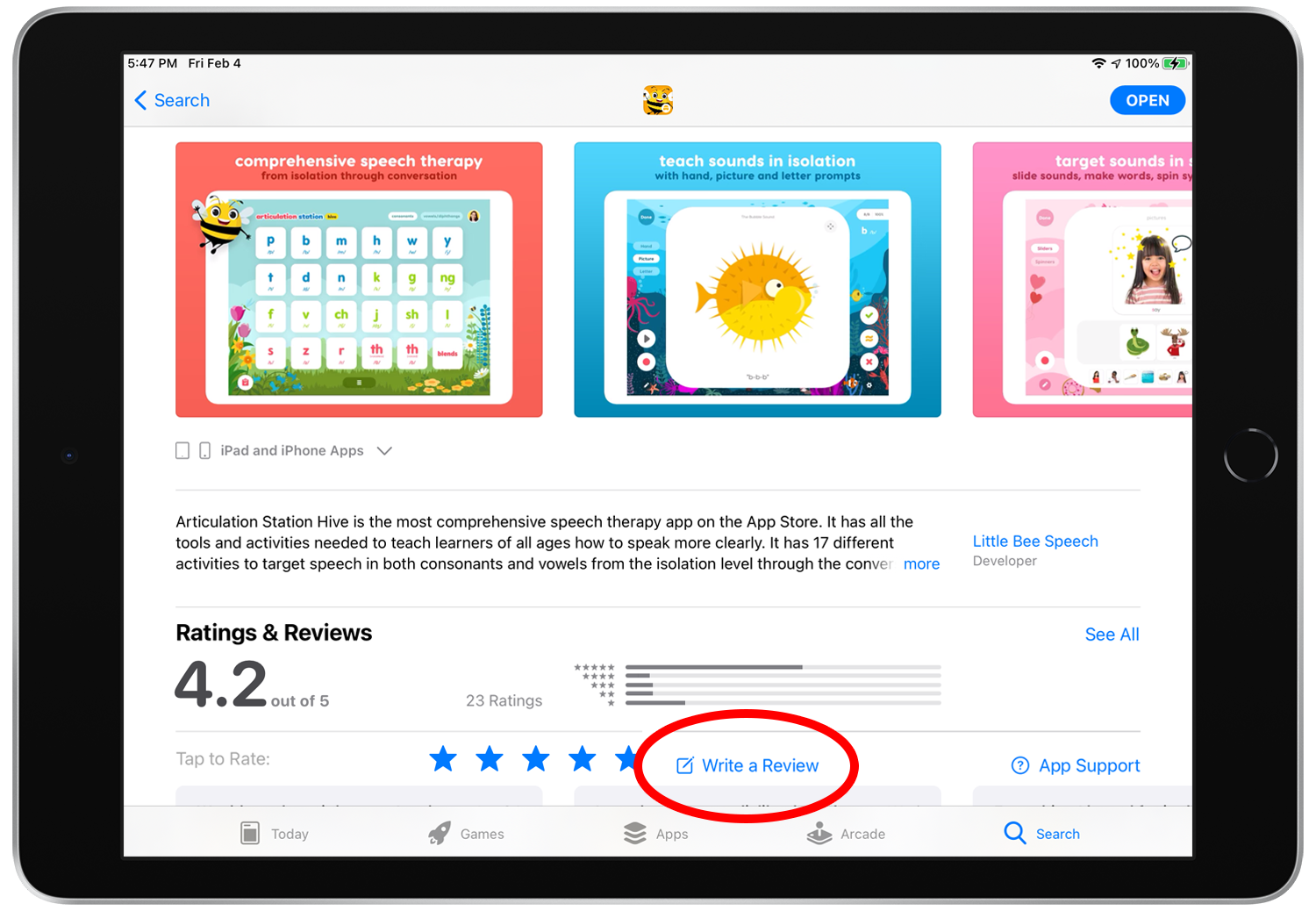
Once you’ve rated the app you can review it. Tap on “Write a Review” to review the app.
Step 7.
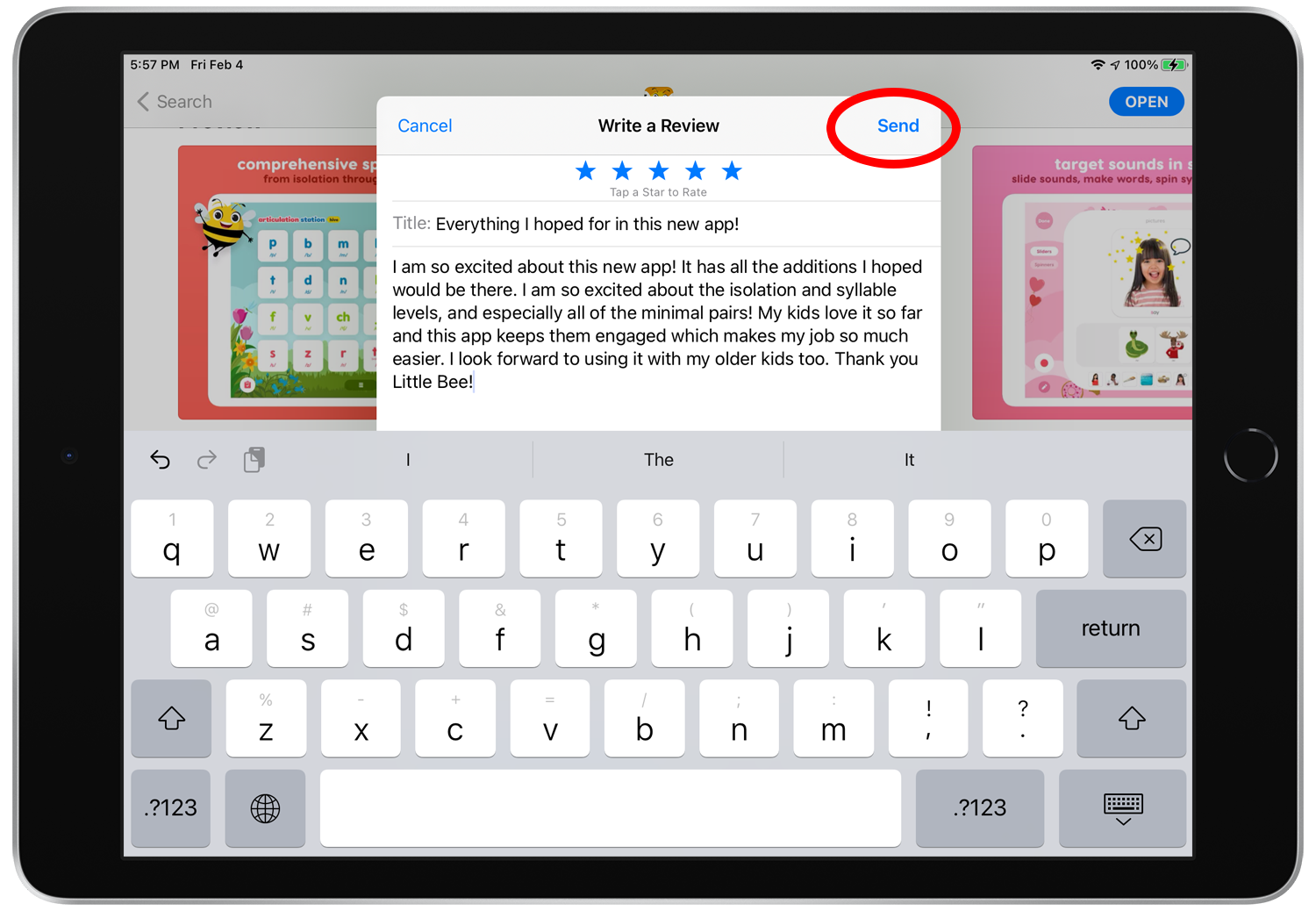
Give your review a title and write your review. When you’re done tap “Send”.
Step 8.
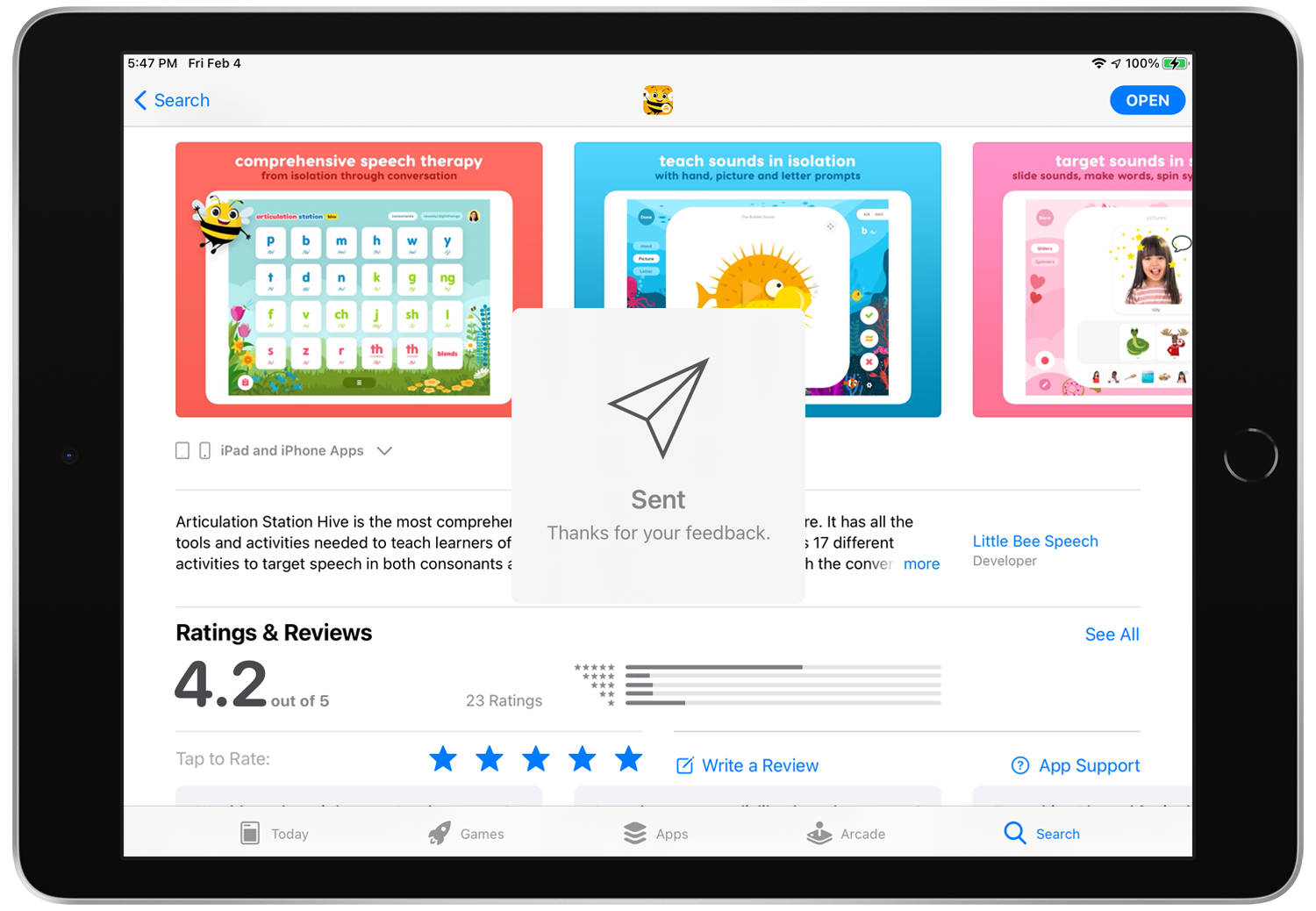
Success! Wait for your review to be posted by Apple. This can take some time but it will eventually show up for all to read!
Step 9.
Hooray! Grab yourself a treat and enjoy the feeling that you’ve contributed to the App Store and made it a better place for everyone!